

- cross-posted to:
- linux@programming.dev
- cross-posted to:
- linux@programming.dev
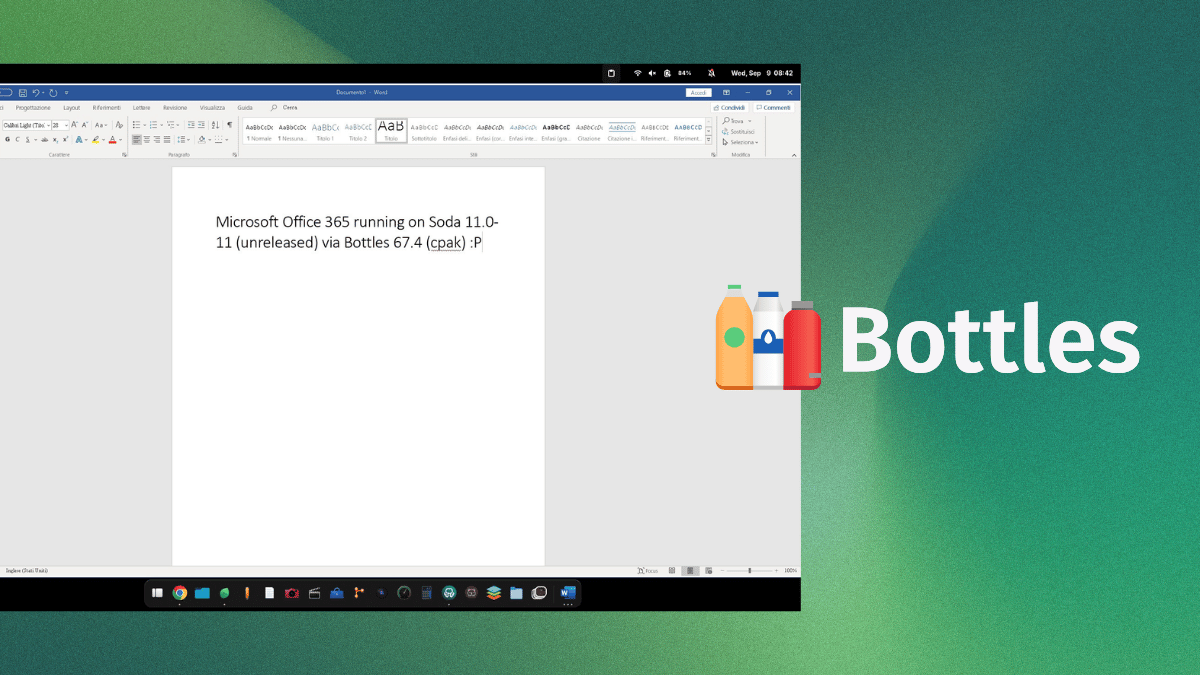
Mirko Brombin, the creator of Bottles, has got Microsoft 365 running on Linux. His posts on X showcase an installation that completes on a Windows 10 or 11 Wine prefix, signs in with his existing license, and launches at least one editor.
He achieved this using two things, an unreleased version of Soda and Bottles 67.4. If you remember, Soda is a Wine-based runner that facilitates easy running of Windows games and applications.
On first glance, what he posted might look like a developer-focused log, but these changes are the foundation of what full Microsoft 365 support via Bottles will one day hopefully look like.
The results of his work
Mirko was able to login into the MS 365 app using his credentials and was able to launch MS Word and use it. Of course that’s not the only thing he got working; since two-factor authentication passed, the suite detected his license, and OneDrive integration was functional.
The memory footprint of the office suite was less than 500MB, so this should be light on your Linux system.
The build he is currently testing is 2608 (20326.20144), which he says is the last build the installer will offer for Windows 10 and 11. And before you get all hyped up, wanting to try this out on your computer, know that you will have to wait.
Soda 11.0-11 (error 404 for now) has no release yet, and the component catalog that ships with Bottles 67.4 stops at Soda 11.0-10. Even the long-standing community request for a Microsoft Office installer in Bottles is still open.
Do we need Microsoft 365 on Linux?
Till date, there’s not been an official Linux desktop build of Microsoft 365, and seeing how Microsoft currently operates, I don’t expect one to appear anytime soon.
What’s been achieved here is remarkable. Once fully implemented, this will help draw in people into Linux, as many shudder at the thought of switching to the platform because their preferred office suite doesn’t work here.
For context, CodeWeavers sells a paid Wine product, CrossOver, and its database still lists Microsoft Office 365 on Linux as “Installs, Will Not Run,” last tested against CrossOver 26.3.0.
Which is why I hope the fix travels further than Bottles. Wine sits beneath every one of these projects, including Soda. So a patch that lands upstream reaches all of them at once, and you would not need a particular runner to get Office working.
Usually it’s not “their preferred office suite” but “office suite they are forces to use at work”. MS Office usage is high because of network effect, not because any other office suite is worse.
I use LO Writer for any document I write (or work with) myself and it’s perfectly fine. The only reason I keep MS Office is that I need to work on documents other people write (or need to work with).
Of course there are people who actually prefer MS Office, but it’s similar to Windows itself: most people did not choose it, they either don’t know there is an alternative or are forced to use it for compatibility reasons (at work). It’s rare that anyone actually “prefers” MS software.
MS Excel is unfortunately still unmatched; and is literally the only reason why most people still use the MS Office suite.
It’s not like I want to argue, generally curious. What does Excel do that Calc doesn’t?
I work with text a lot, so I’m good with Writer (or Word), but I rarely do anything advanced in Calc or Excel, for basic stuff Calc is fine. I really don’t know enough to compare the two.
It connects with olap, and it can scroll per pixel instead of per row/column, which is very annoying with large cells.
Pivot tables are interesting with LibreOffice Calc, I’d say. They break in funny ways for me.
Still, glad I don’t have to use it that often.
I use LibreOffice at home because fuck Microsoft, but at work Excel has tables and I really miss those.
Honestly, learning things one way kind of sticks with you. I’ve also done a lot more —I wouldn’t say advanced— maybe just above basic stuff in excel that I just don’t want to relearn how to do it differently; like making auto-fill using a csv database, and yes I’m lazy but hey I only worked 2 hours out of an 8 hour day.
I use libre for everything else, though their spelling correction is annoying. Don’t you dare use a British English spelling sigh.
I have love for LibreOffice Writer and Impress but it is nowhere near as polished as Word or PowerPoint. Used on Linux and Windows. I switched from Windows to cachyos on my work laptop. First I open Writer, I get lag when scrolling. Fix on arch wiki, cool, but still. The interface is a mess, i.e. the Paragraph Style panel doesn’t scale and is pretty unusable with the tabbed Interface layout. Pinch to zoom doesn’t work. Generally feels laggy and slow. Impress is also such a hassle to get shit done compared to PowerPoint, i.e. lack of good snap grids and guides.