https://system76.com/pop/download/
Release Notes
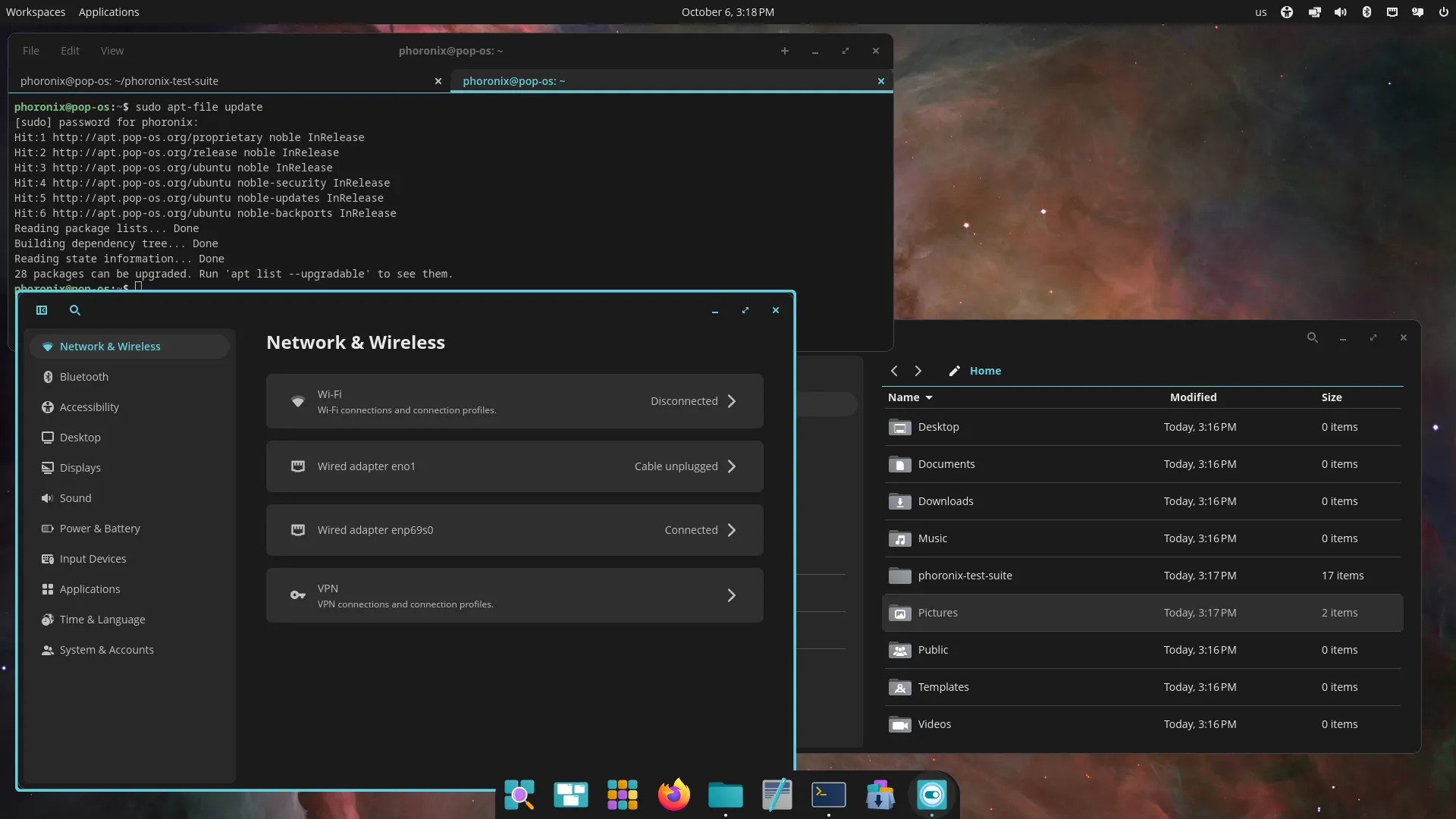
Pop!_OS 24.04 LTS includes the new COSMIC Desktop Environment, designed and developed by System76.
Some GNOME apps are replaced by COSMIC apps
- GNOME Files (Nautilus) > COSMIC Files
- GNOME Terminal > COSMIC Terminal
- GNOME Text Editor > COSMIC Text Editor
- GNOME Media Player (Totem) > COSMIC Media Player
Pop!_Shop is replaced by COSMIC Store
Key components
- COSMIC Epoch 1
- Linux kernel 6.17.9
- Mesa 25.1.5-1
- NVIDIA Driver 580
Some games may start partially off-screen. Press F11 or Super+F11 to fullscreen the game
Display toggle hotkeys and an on-screen display is not supported yet
COSMIC has a built-in screenshot tool. If you require annotations, we recommend Flameshot, which can be installed from Flathub via COSMIC Store. Version 13.1 or higher is required for COSMIC
COSMIC is not currently optimized for touch devices. An on-screen-keyboard is in development.
The COSMIC Desktop will be continuously updated with new features and improvements after release
Kernels and hardware support are continuously updated in Pop!_OS
You can follow COSMIC DE feature and improvement progress on the project board
Awesome, congrats to the team. I don’t use it anymore but I’ll always have a soft spot for PopOS as being the distro that finally made me a Linux fulltimer. I really wish KDE would implement their tiling system.
You’ve tried that KDE tiling addon / app and it’s not for you, I guess?
Krohnkite? It unfortunately doesn’t have anywhere near the polish and ease of use as the PopOS implementation, for example its easy toggling between tiling and stacking. Nobody comes close to the way PopOS has done it.
Krohnkite is fine and all but it’s quite janky with certain programs.
Krohnkite is incredibly janky, I tried it recently and it made all the window animations lag. Also every third boot or so it would fully stop kwin from starting, and lead to a black screen on login.
How is it called?
releasing 24.04 as an LTS at the tail end of 2025 is kinda funny
Agreed.
What is even stranger, but great, is that they plan to release a 26.04 LTS in 4 months.
That will be the start of the real next generation for Pop!OS. We should get a real sense of where System76 wants to go with COSMIC then. Today is all about getting a minimally viable system into production so people can start to use it. Making 24.04 an LTS means that people do not have to hold off until next year.
I’ve been daily driving COSMIC for about 6 months now. It has improved dramatically, and I (mostly) love it. Stable too. It’s kept me on Pop and I’m now on 24.04.
I have a triple monitor setup, and I like COSMIC’s tiling features and that I can very easily move around between windows and workspaces without the mouse. It’s similar to i3 in feel (not as lightweight of course), but with easier setup. I can set tiling on or off for specific workspaces, which is great for differing workloads. Numbered shortcuts work too (e.g. option+3 takes me to workspace 3). It is much, much, MUCH better than the tiling features they added for Pop Shell in earlier versions using Gnome.
There are a couple things I would like: the ability to pin specific apps to specific workspaces would be nice, and I wish workspace numbering could span monitors (at the moment, each monitor has its own set of numbers, but they overlap each other so you can’t jump to another display only with the number). But tbh I don’t care too much about these since everything else has been great.
I don’t really use the COSMIC apps (Files, text editor, etc), but that hasn’t mattered either.
Edit: if anyone finds it relevant, I’m running a 9700x with 64GB RAM and a 7800XT. Go Team Red.
I am very curious to see what kind of uptake COSMIC gets.
It seems like a nice compromise between the overly locked-down simplicity of GNOME and the complexity of KDE. And it balances tiling with stacking really well.
I like Cosmic, it was a little janky with steam windows when I tried it, but everything else was very nice.
Liked the hot keys, tiling, theming, and a decent built in terminal.
I recently tried it again on arch and had serious steam issues, any tips?
Create a desktop without tiling and run steam on it.
I never really resolved my issues, Ive installed bazzite for now.
I had those too, but they have gone away for me on 24.04.
Not the Steam client itself, but some games like to start minimized still. That’s a minor annoyance, but it is also completely fixed by simply launching everything in gamescope, which plays very nicely with COSMIC.
The wait was insane , can’t believe its finally here.
That’s pretty interesting. No GObject and GPLv3.
Cosmic isn’t my cup of tea, but I’m still really happy to see this release!
to some disappointment is still using Mesa 25.1 series graphics drivers
Good call IMO, my distro just upgraded to MESA 25.3, and I’ve had problems with black screens in games since that. I even tried switching to older kernels and since it’s apparently not the kernel, my guess is on the MESA driver.
PS:
I use a Radeon RX 6600 XT GPU, and it has worked fine for years before the upgrade.
I checked the cabling first, and that the card was firmly socketed, but they are fine, and it clearly happened after the kernel/MESA upgrade??? It doesn’t happen in desktop, only in games.EDIT!!!
Turns out it was KDE/Wayland that caused the problem, for some reason the upgrade moved me from X11 to Wayland, and I had to install X11-session for KDE, after switching to that it works fine again.
Sad that Wayland which is supposed to be the better supported option now fails where X11 is still going strong.I have a 6700XT and was using Debian Testing (it was trixie), it was super stable, then it became to be extremely unstable around april 2025. I think it was a mix a buggy mesa update and a buggy kernel update. It was so awful that I had to remove Debian :( (multiple full freeze a day). I went full Gentoo and it was super stable. I tried trixie again some days ago and it was still extremely unstable, unfortunately… (only on this machine, the others work fine). Mesa 25.3 has fixed a “turn page flip error” on these cards, but not everything is smooth.
It would be nice if we could switch MESA version as easy as we can switch the kernel.
I had to install X11-session for KDE, after switching to that it works fine again.
Unfortunately, KDE is planning to remove X11 session entirely around 2027, so if the problem still persists then it might be wise to find another distro or stick with old KDE versions.
Personally, I have XFCE installed alongside KDE for running programs that are buggy on Wayland (which was few and far in-between). Otherwise, my hardware supports Wayland well (as it only has Intel integrated graphics anyways).
I used XFCE many years because there were bugs and limitations in KDE I couldn’t live with.
Now I’ve used KDE for about 2 years without issues, and they pull this stupid stunt!
I still have XFCE installed, and when I switched to that my games worked fine again. Then when I wanted to switch back to KDE/X11 I couldn’t. It was friggin removed as an option after the latest upgrade, despite I specifically used KDE/X11 instead of Wayland because of a KDE/Wayland limitation that you can’t disable compositing.
I do use compositing, but I like to have the option to disable it if I need to. And it was when I noticed I couldn’t disable compositing, I switched to XFCE to see if that worked.
So long story short, I had to install a kde-x11-session package to be able to switch to it? WTF??
I must admit this incident has made me think of switching to another distro that respect user settings more.PS:
My short trip to XFCE was quite nice, they have refined the design some since last I used it. But damned I’ll have to port all my hotkeys again, I used top have them in xbindkeys, but I moved them to native KDE to be compatible with both X11 and Wayland. 🙄This is the blog post that details KDE’s plan to remove X11. The linux experiment, as far as I know, also mentioned it in his linux open source news videos.
Hopefully things will work with Wayland at that point.
I tried COSMIC for a couple months. It was very cool. But I just can’t get by without GNOME’s overview.
COSMIC now has a workspaces overview which is quite similar.
Yeah I used it. It’s not nearly as versatile.
The Gnome overview is simple enough to use that people think there’s nothing to it.
I’ve never had a better tool for interacting with apps, and I’ve worked with a lot of tools / DEs. There are some that are arguably more fun, or that clearly give better customization options.
…but just being a clean tool that works, provides what you need, looks good doing so, and gets out of your way? Gnome, hands down.
Finally, tiling for the masses.
(Says the i3 and yabai user)
deleted by creator