

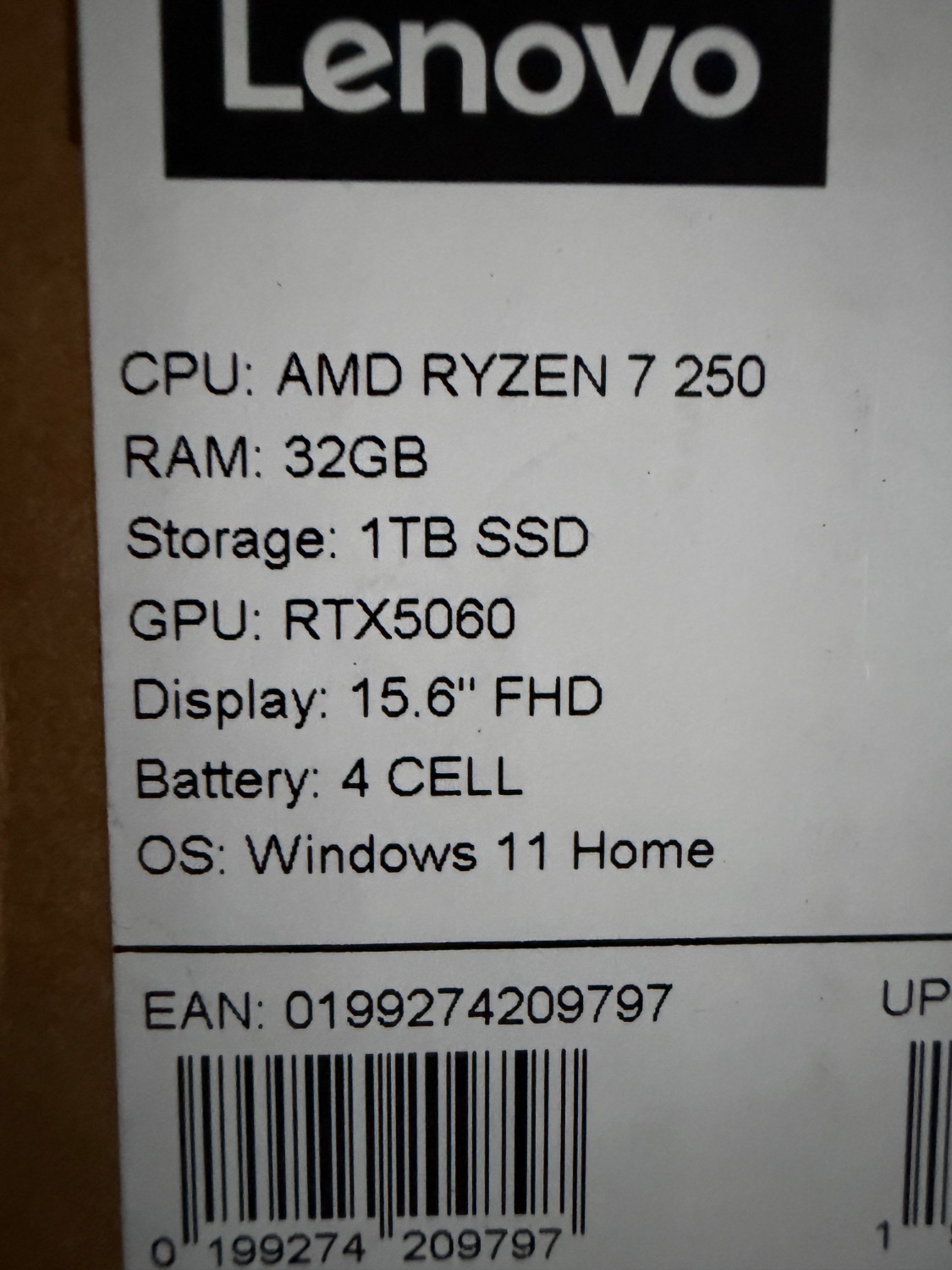
I just bought this yesterday for my 16 year old son. He is in year 11, doing subjects heavy in maths and science. His old laptop was 8 years old and falling. I had a budget of $1200, reluctantly, as I knew that DDR prices and storage prices had gone through the roof recently. Typically, I have spent $700-800 on laptops for my kids.
I walked into a local retailer and this was presented as a laptop that had been ordered and not collected or paid for. Price was $1,999 firm.
After some negotiation, I walked out with it for $1,500. Way more than I was comfortable spending but it seems to be a good deal, unless I am missing something?
I’m out of the loop on prices, but I can tell you Windows Home is a disaster. I’ve had the displeasure of having to interact with one and it was so anti-user, it still hurts to think about.
The bloatware is by default a scam. All the My Documents stuff is set to OneDrive by default, and i do mean all of it.
Copilot is on by default - that’s browser, windows search and Office demos (you need a subscription to use them fully and they’re all in the cloud, not really local). It will add itself to all texts created or edited with default Microsoft programs like notepad or Office. Any schoolwork done with Copilot active will possibly create problems for your kid at school.
Login is set to require an online connection by default. You literally have to set it manually so that you can login on your PC when the internet is down. Imagine my surprise when I had to reboot while offline and couldn’t get past the welcome screen. We’re not very welcome on our own PC anymore.
Files are encrypted by default, which sounds nice and safe, until something goes wrong. The access codes are kept in your Microsoft account, online, so if you don’t have access there, you’re screwed out of recovery.
File indexing is wonky, so Windows at times ends up keeping a cache or copy of everything, doubling occupied space for seemingly no reason. 100Gb gone missing for no reason, it’s usually file indexing at work.
Every security-related* network request gets logged. It gets added to a specific file somewhere a Home user doesn’t really have access to and needs to jump through hoops to find it. Windows 11 being telemetry hell full of spying bloatware makes a network request for location access every 5-15 minutes, which gets logged to that file. It will generate an encrypted log file that will eventually reach over 100Gb in size, similar to file indexing only more routinely, that’s a bitch to get rid of. I would know.
Windows Home treats the user as a delinquent juvenile offender. It’s not your PC when you have it on, but a heavily restricted and surveilled privilege that everyone but yourself can control. Get rid of it.
I still can’t understand why MS doesn’t use the features they themselves implemented in NTFS to make the search work like in Everything. Those features are not even new anymore, and still they implement a search that sucks so hard that i’d rather search manually by browsing random folders.