This thread is full of misconceptions about RAM use. It is normal and efficient for an OS to reserve memory for processes even if it not really used. This memory will be juggled around in case that is needed. It would be very bad for a modern OS if you somehow lowered your used RAM to near 0%. That would make the computer slower.
Modern OS that isn’t Windows though can use significantly less RAM. It’s all the telemetry shit and always-online shit thats been jammed into the OS that makes it run poorly. Theres no reason to run CoPilot in File Explorer.
If your processes require RAM, it’s fine to use it. Windows obviously has many processes like that and reserves lots of RAM.
A Linux system can also have RAM-heavy processes if you choose to install and run them. In that case, a high RAM usage indicates that these processes are functioning correctly. Conversely, very low RAM usage suggests that the system is running as intended, assuming you haven’t installed unnecessary applications.
While RAM usage numbers can tell you something about installed and running processes, they don’t necessarily tell much about system performance. High or low values alone don’t definitively tell you whether the system is running well or poorly.
The amount of available RAM (which includes RAM actively used for caches but which will be immediately reassigned by the OS if requested by applications) matters more if you do a lot of task switching.
Windows 11 is bloated enough that people using local AI avoid it like the plague. These aren’t dumb, non-technical people. They’re the opposite of that. They all use Linux or maybe Windows 10 (still updated and you can use IoT which goes to 2032). A near-frontier quality AI told me using IoT would free up about 1-2gb of ram compared to Windows 11.
Based on my usage of Linux, Windows 10 and Windows 11, I have no doubt that Windows 11 uses at least 1-2gb more of ram. It runs like crap on older PCs while Windows 10 runs okay. That’s the true test.
I’ve dealt with AI and know the history with hallucinations. Today Hallucinations are more of an issue when it’s a controversial topic (politics, religion, or issues the political influencers have taken control of in the media).
They’re fed training data pushing a narrative preferred by the AI developers, who leave out the contradictory info. It’s a lot like social media moderation. Ultimately, there’s a group of individuals at the company who think a certain way and think the rest of the world should think like them too. It’s more of an issue after the R&D model has been turned into a commercial variant at the company by the engineers there and it’s out of the hands of the Ph.Ds who originally made it.
As soon as you prompt a basically decent AI to not rely on a training data or a superficial web scrape, and it goes looking for contradictory info, then it re-thinks what it told you. This is more of an issue with the commercial corporate subscription AIs and the older small LLMs from years ago that didn’t have web scraping capability. Things have definitely changed in the last year or two where the dense models with web scraping capability are concerned. At least, if you go with the uncensored or ablitterated “Thinking” versions of them available on the Huggingface site, or you use a third party service to access a large open weights model that’s been made uncensored by whoever maintains it.
It’s relevant. To sum it up, this much smarter-than-average part of the PC user base routinely uses Linux rather than Windows 11. A part of the user base that is far more familiar with relative performance of both on the same hardware.
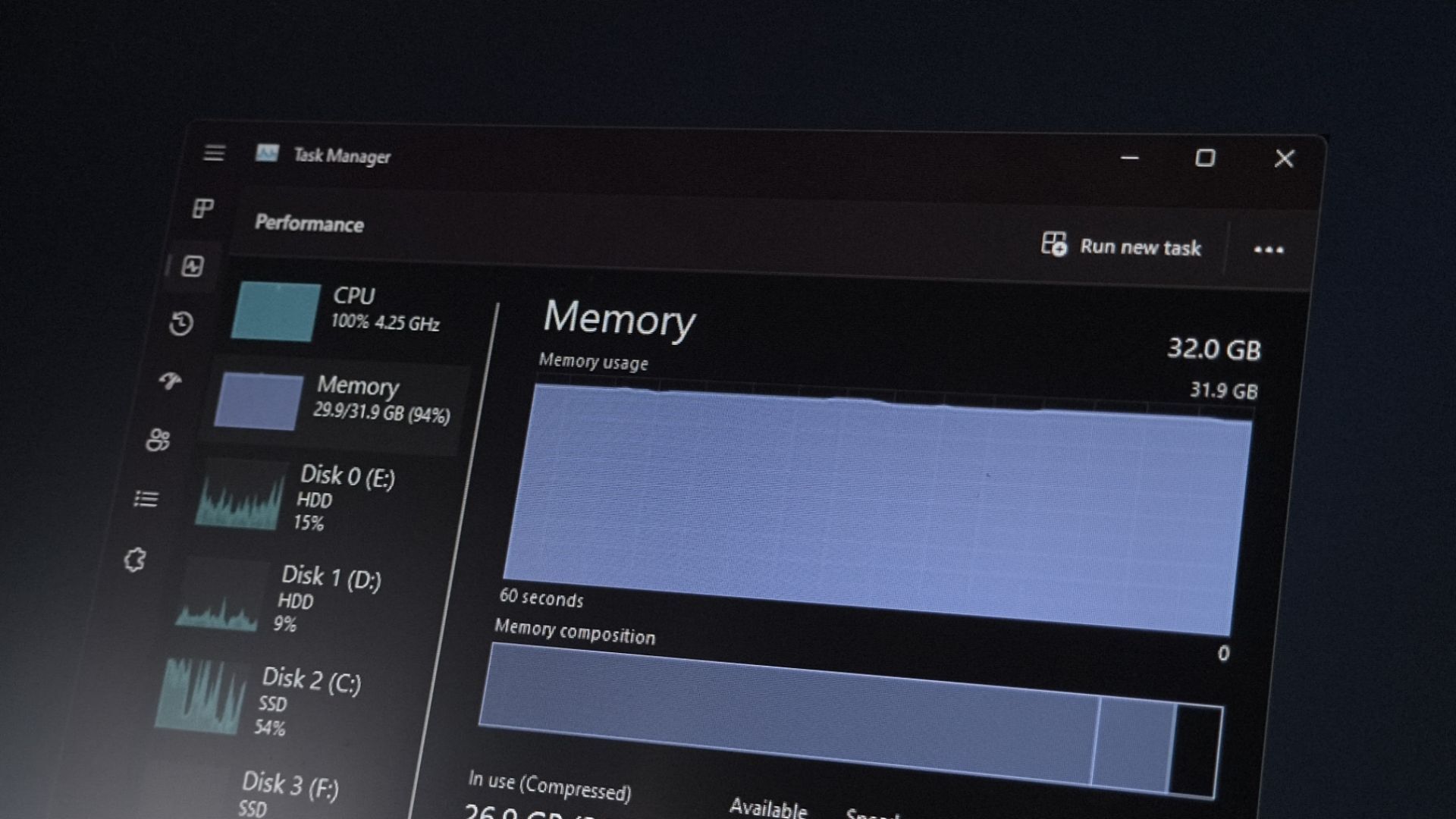
But posting screenshots of your task manager tells us nothing. If it uses 30% of your RAM at start time, that’s fine. Or not. Can’t really tell.
Man if only there was some type of metric that showed available memory instead of cached
Actually I think you meant hard allocation in which case it can actually be bloated applications that request too much preallocation from the OS (source: every Java jar ever).


This thread is full of misconceptions about RAM use. It is normal and efficient for an OS to reserve memory for processes even if it not really used. This memory will be juggled around in case that is needed. It would be very bad for a modern OS if you somehow lowered your used RAM to near 0%. That would make the computer slower.
See for example this: https://www.linuxatemyram.com/
The same thing goes for Windows. It reserves RAM to be used. Like it should be.
Sure, Windows is bloated.
But posting screenshots of your task manager tells us nothing. If it uses 30% of your RAM at start time, that’s fine. Or not. Can’t really tell.
Modern OS that isn’t Windows though can use significantly less RAM. It’s all the telemetry shit and always-online shit thats been jammed into the OS that makes it run poorly. Theres no reason to run CoPilot in File Explorer.
I agree fully. But in this post’s comments people don’t seem to understand how RAM use works.
It should be used… It is good… Not using it is bad!
If your processes require RAM, it’s fine to use it. Windows obviously has many processes like that and reserves lots of RAM.
A Linux system can also have RAM-heavy processes if you choose to install and run them. In that case, a high RAM usage indicates that these processes are functioning correctly. Conversely, very low RAM usage suggests that the system is running as intended, assuming you haven’t installed unnecessary applications.
While RAM usage numbers can tell you something about installed and running processes, they don’t necessarily tell much about system performance. High or low values alone don’t definitively tell you whether the system is running well or poorly.
or notepad…
The amount of available RAM (which includes RAM actively used for caches but which will be immediately reassigned by the OS if requested by applications) matters more if you do a lot of task switching.
Windows 11 is bloated enough that people using local AI avoid it like the plague. These aren’t dumb, non-technical people. They’re the opposite of that. They all use Linux or maybe Windows 10 (still updated and you can use IoT which goes to 2032). A near-frontier quality AI told me using IoT would free up about 1-2gb of ram compared to Windows 11.
Oh, well as long as it was a high quality hallucination machine that told you that.
Based on my usage of Linux, Windows 10 and Windows 11, I have no doubt that Windows 11 uses at least 1-2gb more of ram. It runs like crap on older PCs while Windows 10 runs okay. That’s the true test.
I’ve dealt with AI and know the history with hallucinations. Today Hallucinations are more of an issue when it’s a controversial topic (politics, religion, or issues the political influencers have taken control of in the media).
They’re fed training data pushing a narrative preferred by the AI developers, who leave out the contradictory info. It’s a lot like social media moderation. Ultimately, there’s a group of individuals at the company who think a certain way and think the rest of the world should think like them too. It’s more of an issue after the R&D model has been turned into a commercial variant at the company by the engineers there and it’s out of the hands of the Ph.Ds who originally made it.
As soon as you prompt a basically decent AI to not rely on a training data or a superficial web scrape, and it goes looking for contradictory info, then it re-thinks what it told you. This is more of an issue with the commercial corporate subscription AIs and the older small LLMs from years ago that didn’t have web scraping capability. Things have definitely changed in the last year or two where the dense models with web scraping capability are concerned. At least, if you go with the uncensored or ablitterated “Thinking” versions of them available on the Huggingface site, or you use a third party service to access a large open weights model that’s been made uncensored by whoever maintains it.
What? I do not understand…
Ai users? Using iot???
I do not see any relevance, sorry.
It’s relevant. To sum it up, this much smarter-than-average part of the PC user base routinely uses Linux rather than Windows 11. A part of the user base that is far more familiar with relative performance of both on the same hardware.
Man if only there was some type of metric that showed available memory instead of cachedActually I think you meant hard allocation in which case it can actually be bloated applications that request too much preallocation from the OS (source: every Java jar ever).