

I was able to read the article with some ad blockers and without a subscription, but editing to add an archive link, shared below: https://archive.is/NBivg
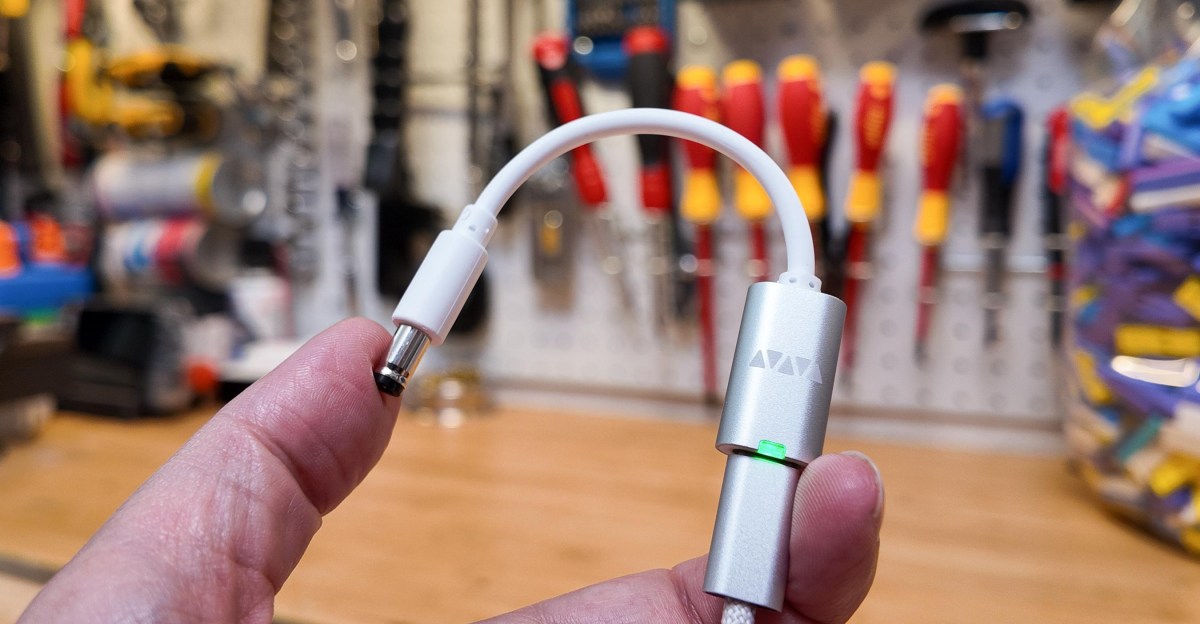
This seems like a really cool device from a company called Werewolf. As the article details, they make a little $8 programmable USB-C power adapter, called the VFLEX, that you can get barrel plug adapters for to power older devices that use barrel plugs.
The article discusses some caveats, such as not every USB-C power supply supporting every voltage a device may need. But you can plug the VFLEX into your power adapters (and battery banks) and create a local database of available voltages. Then when you want to power a specific device the app will guide you through which power adapters are compatible with it.
I have no affiliation with the company, but after reading about the VFLEX it seems like a neat option to power some older devices I have.
I was curious how you were supposed to configure the thing’s output… and of course it has to be a mobile app.
I’d prefer physical buttons I can check and change whenever like an actual old school power adapter.
Looks like the app has a bit more functionality. I can see it being useful if you have many different devices with a variety of chargers and voltages. Would be a pain to manage all those cables and wall plugs.
They should have used a virtual serial port then. That way you could just type commands using your favorite serial terminal.
I’m pretty sure most people would actually scream if they ever encountered a command line interface, but yeah there’s definitely better technologies to choose from than WebMIDI of all things…
There’s no reason they couldn’t have an app that talks to that serial port as well.
I know nothing about it, but it really depends on how they implement this.
There might or might not be a well-documented API that would make it easy to code your own app or just send commands to it.
Them providing a mobile app is not a bad thing per se. And maybe a few physical buttons wouldn’t be enough. And physical buttons are expensive (to get right). It sucks, but there it is.
They push updates over WebMIDI, so I wouldn’t hold my breath on a secure API.