

- cross-posted to:
- pcgaming@lemmy.ca
- cross-posted to:
- pcgaming@lemmy.ca
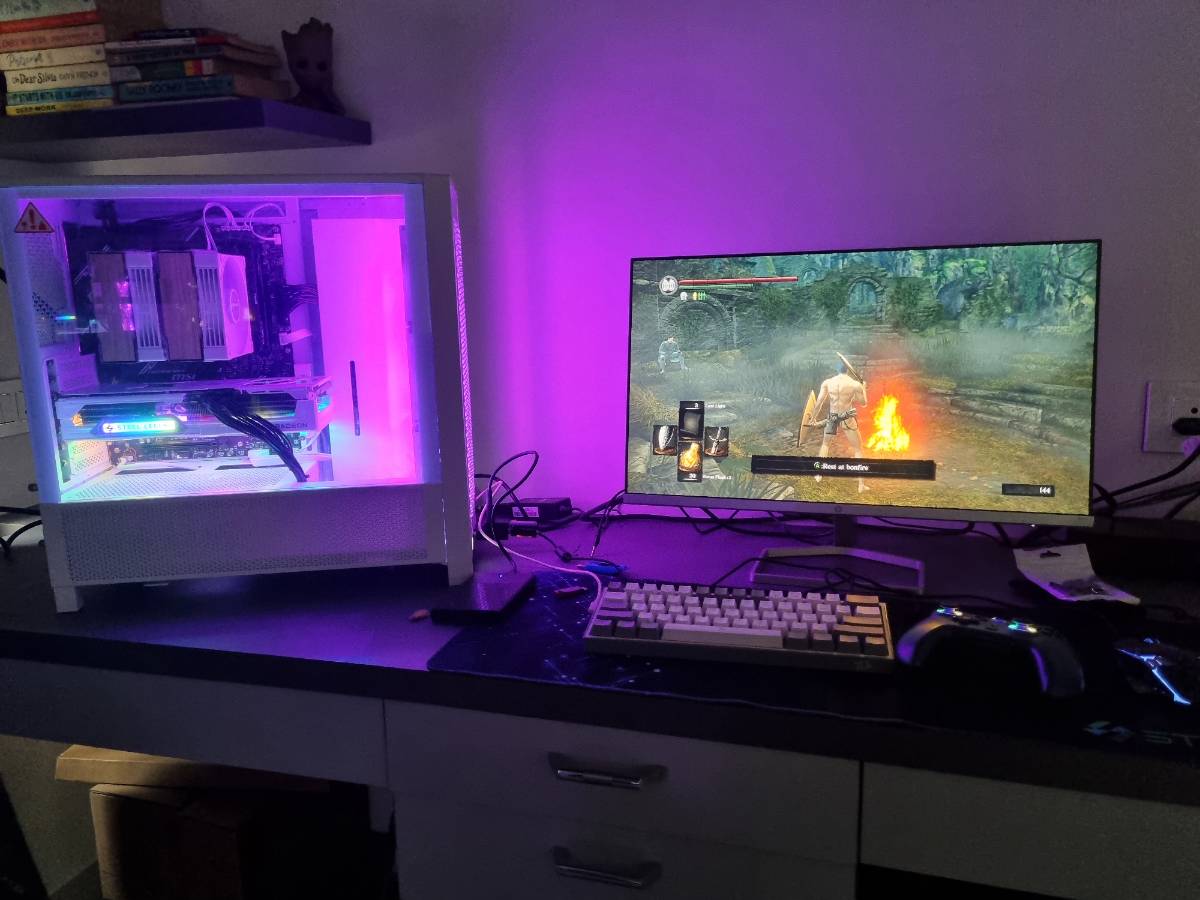
I’ve joined the desktop gang. (Was in laptop gang)
Thanks everyone for sharing your experience, spending time validatung my conf and suggesting better ones.
Specs: Motherboard: Msi B650 gaming plus Cabinet: Corsair 4000D Processor: Ryzen 9600x GPU: Rx 9070 xt Memory: Gskill 16x2 6000Mhz SSD: Crucial P310 1tb Cooler: Deepcool AK620 G2
Need to add 4 additional fans (3top 1 on aircooler)
nice work getting all the stuff together! it’s not a fun time for that right now.
7+ hours of pure fun and little bit anxiety(first time building).
Unboxing, pushing in connectors and finally when rgb lit up. Lot of fun.
it is! especially when checking temps to see if you fucked up the thermal paste.
I was not worried about that. I did not know.
Now im worried thanks fellow lemming.
Do you happen to have any tips what range should i look at and what do i wanna do in case its not good enough?
hah, since you actually got a game running i think you’re fine. the cpu usually starts throttling before any damage is done, so the thing you’ll notice if something is wrong is that performance decreases after some play time.
the main thing to look for is if you get a massive spike in temp the instant you put the cpu under load. if you see temps climb over a few seconds that means the thermal mass of the cooler is wicking the heat away properly. another thing to check is whether changing the cpu fan speed changes how fast the cpu cools down.
if your temp doesn’t level out under load, or increases during idle, then your cooler is too small.
if you’re nervous anyway (as i was), thermal pads have gotten really good.
Cool. Then I think its fine it hovers around 50 idle and goes to 65-70 underload but quickly drops to 50 one demanding task finishes.
But I’ll keep it in mind. Thanks
hm, 50 at idle is a bit high but the load temps are fine. maybe tweak the fan curve a bit.