
You must log in or register to comment.

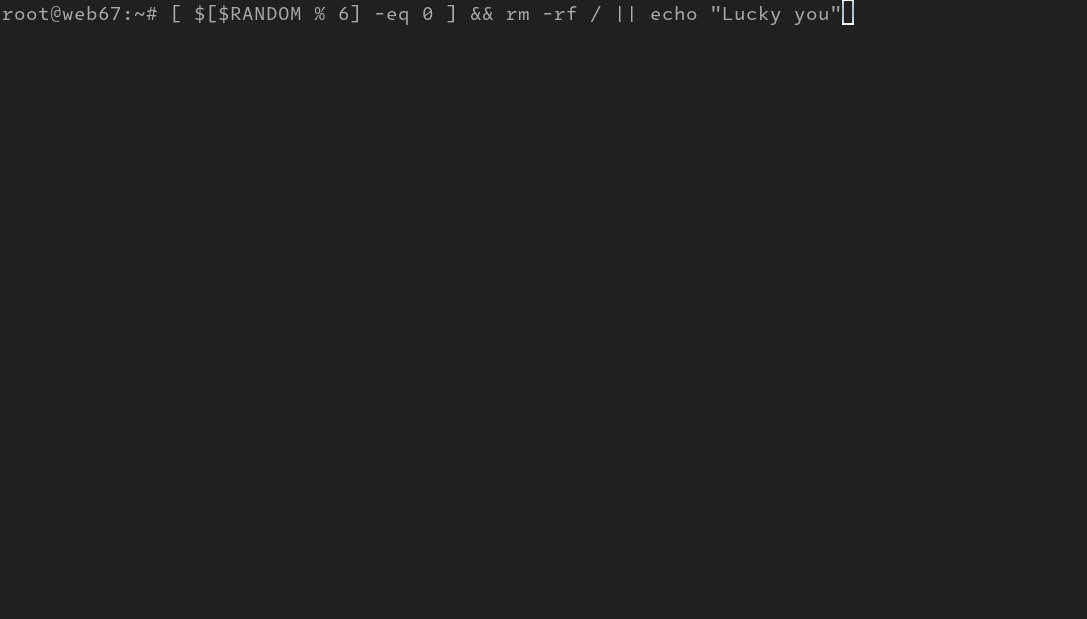
system roulette:
yayThis is basically Claude Code with less extra steps
And free.
Shell footgun. The
||only looks at the return value of the preceding command,rm -fr /. There’s an edge case of the command returning a non-zero error code triggering the statement intended to run if, and only if, the condition is false.[ 0 -eq 0 ] && { echo "I am in your PCs, deleting your p0rn"; false; } || echo "Lucky you?"Use
ifclauses, people. Thesetestabuses do not make one look extra-smart.On an unrelated note, I lost on the first try.
Took me a while to understand what you’re warning against. Allow me to rephrase, and tell me if I got it wrong.
The
||will execute what’s after it in two cases:- The preceding command (in this case the
rm) never ran because of an earlier&& - The preceding command ran and returned nonzero
OP’s code relies on the 1 case, but wrongly assumed that the 2 case will never happen. That’s the footgun.
||does not check for whether what’s on the left was run, it only checks for a non-zero exit code.In this case the left operand for
||is&&, not thermcommand. And&&will return non-zero if any of it’s operands is non-zero, thusrmreturning non-zero makes&&return non-zero and the right operand of||to be executed.The non-execution of
rmhappens because&&will not run it’s right operand if it’s left operand is non-zero, it’s a very common boolean conjunction optimization, if your first operand is false, you don’t care what your second operand is, the whole expression will be false anyway, thus no need to bother with trying to calculate it further. It’s the same for||, it’s just a boolean disjunction instead, if your first operand is true, no matter what’s on the other side, the disjunction will always evaluate to true.
- The preceding command (in this case the
Nah, we just abuse it even more.
# [ "$[RANDOM % 6]" -eq 0 ] && { rm --no-preserve-root -rf / || :; } || echo 'Lucky you!'
I prefer kmem roulette:
dd if=/dev/urandom of=/dev/kmem bs=1 count=1 seek=$RANDOMThat’s a fun 50/50
rm -rf /won’t actually do anything in most Linux systems. GNU coreutils’ rm will only remove the root with--no-preserve-root.Al, we need to optimize. Speed and efficiency to prevent Ctrl+C.
Write 16MB of zeros to the beginning of the boot device to overwrite the boot blocks (16MB being extra cautious, 8MB is fine) and if you want to double the roulette fun, have it fork in parallel and do the same thing to the EFI partition (if you have one). Extra credit: fork a 3rd time and write 16MB to the end of the disk, nuking the backup GPT structure sitting there. This can all be a fun inline “one-liner” to appeal to cut & pasters. curl pipe bashers.
It’ll happen so fast there’s no stopping it, their only way out now is to get the running system saved off that disk while it’s mounted.[1] But your nuke is invisible, how long until they find out trying to reboot? Devious Al, you’re just devious.
[1] there is a way to recover if you build identical machines, like VMs or VPSes - a tool such as gdisk can pull the table(s) off one to a file, which can be pushed onto another. We’ve recovered $customer mistakes at $ITjob doing this before, it works. It might not boot properly, but it can contain enough filesystem boundary information to be able to recover a partition manually (rescue).
If you’re like me and press up to run a previous command from history, you’re definitely toasting your system eventually accidentally