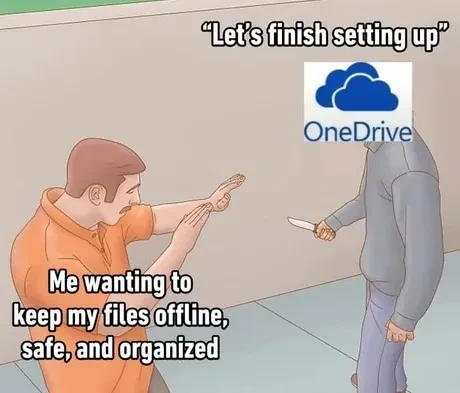
cross-posted from: https://piefed.social/c/lemmyshitpost@lemmy.world/p/2324999/buy-more-storage-for-only-1999-a-month
Don’t do it! It’s a set-up!
Honestly onedrive has to be the most bloated, ram hungry software ever programmed.
Hi
The most insidious part of OneDrive and Google’s equivalent (Photos, etc.) on Android is that they both treat the cloud copy as the “original” and the local copy as temporary. That is, in normal usage, if you delete the local copy it remains in the cloud, but if you delete the cloud copy it also deletes the local copy automatically. Under both systems, if you want to delete something from the cloud but keep the local copy, you have to go through a separate, clunky web interface.
you have to go through a separate, clunky web interface
Yes, you get a Linux machine, and use the web interface there. It’s less clunky than the one you get on Android, and way more reliable than whatever you do on Windows that would end-up with you uploading the files a second time.
Just spent two evenings with a friend of my mom who was losing her mind because Google was threatening to cut off her emails if she didn’t clear out pay for more storage space. Obviously her phone was uploading all her pictures so every time she cleared some space Google happily filled it back up for her automatically. Fortunately her frantic deletions were within the last 30 days so takeout recovered 36GB of dead husband pictures from a 15GB Drive. But let me tell you, clearing out Google Photos was tedious, there is no Select All button in the web interface because leaving their service is not something they want you to do.
If you ever have to do something like this again,
rclonesupports mounting Google Drive, at which point you’ll be able to work with it as if it’s a proper filesystem.Wow, I didn’t know that.
I can see I’m going to have to do something similar in the future, so my future self thanks you
photos on google photos might only be accessible with the appropriate rclone backend: https://rclone.org/googlephotos/
it has a few limitations, like google stores metadata (exif data) separately, so downloaded photos don’t have them, there is another tool that puzzles it together automatically.
but now that I read it, for more than a year now rclone is only allowed to download what it uploaded? what bullshit is that, google?
Laughs in Linux.
Laughs in Europe. OneDrive is legally required to be a one-click uninstall.
You have to click to uninstall it? Laughs even harder in Linux.
You can prob ask copilot too. But it’ll prob fuck up and upgrade instead.
Clicking things is so Windows
If you would prefer to use PowerShell…
I’d prefer that things I don’t want installed, aren’t installed from the beginning.
Now if only they applied that for the browser and all the other bloatware
It does. I’ve been able to uninstall everything from Copilot to Edge on my second PC.