The thing is, a link in an email is not any different than a link here on Lemmy, yet we click on those all day. Yes, both could lead to a malicious website, and if you don’t have a recent web browser, then you could get in to trouble without any action.
IMO, the only reason why there is a focus on phishing simulation in orgs is because email is something IT owns and you can easily track who does and doesn’t open an email. If there is a legitimate concern with opening random links, then phishing simulations would also extend to maybe peppering fake links on LinkedIn or other places where IT thinks their co-workers are browsing, but no one (AFAIK) does this.
No, you generally should not be worried about that.
Generally the worst thing that a website can get from you just opening a URL is (1) whether or not you’re logged in to google/facebook/etc, (2) your advertisement profile/who you are, (3) roughly where you are. All those are privacy issues, not a security issue, hence not very related to the “cybersecurity course”, and only the first one is tangentially related to being logged in.
You should of course use various anti-tracking measures, e.g. an adblocker, “resist fingerprinting” in Librewolf, user agent faker, a good VPN, etc. That will reduce the exposure to all 3 issues above, but once again those are not security problems.
You should also never download random bullshit to your computer. Having an actual file on disk outside the browser sandbox could indeed be an issue. You could simply forget where it came from and decide to execute it one day, or there could be some bug in some app on your OS which could trigger a code execution exploit.
However, if your browser shares authentication details with random websites like what you are describing, you should stop using it immediately.
from what i’ve heard, even if something isn’t able to break out of your browser, it may be able to gain access to cookies. those cookies in turn can carry a lot of info and even unlock some accounts. iirc that’s how the linux tech tips channel got into trouble.
everyone, please correct me where i’m wrong. thank you.
Cookies are specifically separated out per-domain. Your browser will not give a random website access to your auth cookies/localstorage for other websites. There are some awful companies which do set cross-website cookies (e.g. facebook, google, and other adware), but (1) those cookies are not auth credentials and are used mostly for fingerprinting and ad targeting, (2) should be filtered out by your browser’s tracking protection (hence “if your browser is set up correctly”).
Realistically there is still be a way for the website to fingerprint you enough to know who you are even without cookies, so the most adversarial outcome from clicking a link is that the attacker can know that you clicked that link, along with your general location (from geoIP) and some device info.
iirc that’s how the linux tech tips channel got into trouble.
Nah, that was pretty much an .exe sent out by a fake sponsor, which was downloaded and executed. It then stole all browser data (including google auth cookies). Opening a link ≠ running an unsandboxed exe.
This works because loggin in to outlook sets a cookie for login.microsoftonline.com which is reused by other Microsoft products. Each product requests a token from login.microsoftonline.com and as long as you have a valid cookie for that domain it will return a token that the app (outlook/teams/onedrive/etc) can use to access its own api.
The cookie itself stays bound to login.microsoftonline.com and it’s never shared with other domains and the service at login.microsoftonline.com will not provide tokens to requests from non-microsoft domains.
all i can say is that i need to log into outlook to log into teams, because logging into teams directly is broken, but the cross site cookie work…
Thankfully I don’t even have an MS account, but I do implore you to check out the cookies and see for yourself that they will have a specific list of domains they are valid for.
Open the browser developer menu on an Outlook tab (F12), navigate to “Storage” → “Cookies” (may be named slightly differently in different browsers), and look at the “Domain” column in the table.
and reading stuff like adFection really doesn’t instill confidence in opening random websites.
The problem there is website operators selling their adspace to a literal israeli spyware company, which meant injecting adversarial javascript into their own pages. It was not a case of “user opening a random link”, rather it was the website operator themselves forwarding the user malicious JS from the “ad company”. As a user there’s generally nothing you can do to prevent this kind of attack where the website itself was compromised; besides, without another vulnerability/attack vector the impact will be limited to the website in question.
Does that make it dangerous to log in persistently anywhere, period, in case you click on a shady link? I legitimately don’t know much and trust common sense prevention (run sites through virus total if I’m not familiar with them) and built in protection to do most of it, and I haven’t had any known password thefts from anything other than servers getting hacked. I do have an authenticator app and use it on really important stuff (government, school) but that’s about it.
well, i’ve been taught that keeping cookies around is somewhat dangerous, and that because of that browsers like librewolf always clear your cookies. i’m by no means an expert tho, so you might wanna read the other commenters input on that.
The other commenter is wrong, overconfident, and said earlier today that it’s basically impossible to lock your keys in a car. I would run, not walk, from any tips they have.


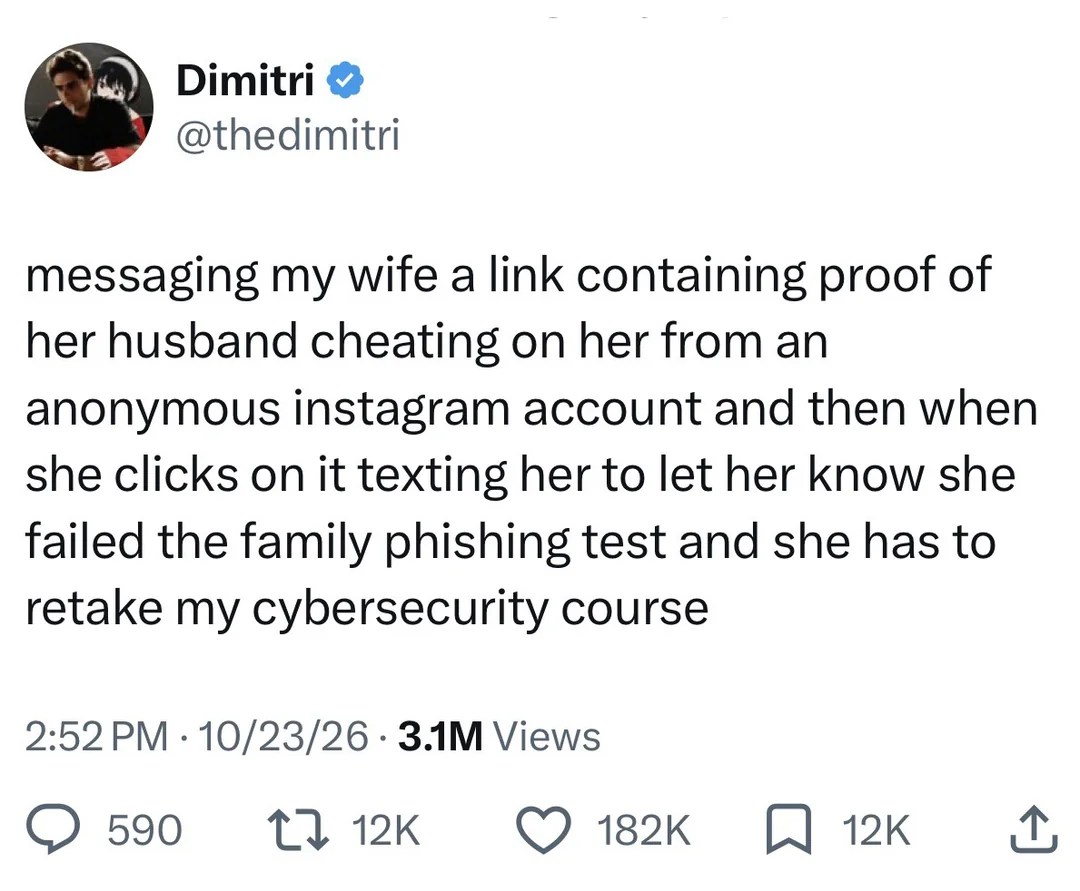
Be extra careful if you’re logged in on any other site in another tab though. Or even if you closed the tab.
The thing is, a link in an email is not any different than a link here on Lemmy, yet we click on those all day. Yes, both could lead to a malicious website, and if you don’t have a recent web browser, then you could get in to trouble without any action.
IMO, the only reason why there is a focus on phishing simulation in orgs is because email is something IT owns and you can easily track who does and doesn’t open an email. If there is a legitimate concern with opening random links, then phishing simulations would also extend to maybe peppering fake links on LinkedIn or other places where IT thinks their co-workers are browsing, but no one (AFAIK) does this.
No, you generally should not be worried about that.
Generally the worst thing that a website can get from you just opening a URL is (1) whether or not you’re logged in to google/facebook/etc, (2) your advertisement profile/who you are, (3) roughly where you are. All those are privacy issues, not a security issue, hence not very related to the “cybersecurity course”, and only the first one is tangentially related to being logged in.
You should of course use various anti-tracking measures, e.g. an adblocker, “resist fingerprinting” in Librewolf, user agent faker, a good VPN, etc. That will reduce the exposure to all 3 issues above, but once again those are not security problems.
You should also never download random bullshit to your computer. Having an actual file on disk outside the browser sandbox could indeed be an issue. You could simply forget where it came from and decide to execute it one day, or there could be some bug in some app on your OS which could trigger a code execution exploit.
However, if your browser shares authentication details with random websites like what you are describing, you should stop using it immediately.
Can you elaborate on this?
from what i’ve heard, even if something isn’t able to break out of your browser, it may be able to gain access to cookies. those cookies in turn can carry a lot of info and even unlock some accounts. iirc that’s how the linux tech tips channel got into trouble.
everyone, please correct me where i’m wrong. thank you.
Cookies are specifically separated out per-domain. Your browser will not give a random website access to your auth cookies/localstorage for other websites. There are some awful companies which do set cross-website cookies (e.g. facebook, google, and other adware), but (1) those cookies are not auth credentials and are used mostly for fingerprinting and ad targeting, (2) should be filtered out by your browser’s tracking protection (hence “if your browser is set up correctly”).
Realistically there is still be a way for the website to fingerprint you enough to know who you are even without cookies, so the most adversarial outcome from clicking a link is that the attacker can know that you clicked that link, along with your general location (from geoIP) and some device info.
Nah, that was pretty much an .exe sent out by a fake sponsor, which was downloaded and executed. It then stole all browser data (including google auth cookies). Opening a link ≠ running an unsandboxed exe.
Linux tech tips guy opening a .exe file is oddly frustrating to me.
all i can say is that i need to log into outlook to log into teams, because logging into teams directly is broken, but the cross site cookie work…
and reading stuff like adFection really doesn’t instill confidence in opening random websites.
but most probably you’re right for most cases.
This works because loggin in to outlook sets a cookie for login.microsoftonline.com which is reused by other Microsoft products. Each product requests a token from login.microsoftonline.com and as long as you have a valid cookie for that domain it will return a token that the app (outlook/teams/onedrive/etc) can use to access its own api.
The cookie itself stays bound to login.microsoftonline.com and it’s never shared with other domains and the service at login.microsoftonline.com will not provide tokens to requests from non-microsoft domains.
Thankfully I don’t even have an MS account, but I do implore you to check out the cookies and see for yourself that they will have a specific list of domains they are valid for.
Open the browser developer menu on an Outlook tab (F12), navigate to “Storage” → “Cookies” (may be named slightly differently in different browsers), and look at the “Domain” column in the table.
The problem there is website operators selling their adspace to a literal israeli spyware company, which meant injecting adversarial javascript into their own pages. It was not a case of “user opening a random link”, rather it was the website operator themselves forwarding the user malicious JS from the “ad company”. As a user there’s generally nothing you can do to prevent this kind of attack where the website itself was compromised; besides, without another vulnerability/attack vector the impact will be limited to the website in question.
Does that make it dangerous to log in persistently anywhere, period, in case you click on a shady link? I legitimately don’t know much and trust common sense prevention (run sites through virus total if I’m not familiar with them) and built in protection to do most of it, and I haven’t had any known password thefts from anything other than servers getting hacked. I do have an authenticator app and use it on really important stuff (government, school) but that’s about it.
well, i’ve been taught that keeping cookies around is somewhat dangerous, and that because of that browsers like librewolf always clear your cookies. i’m by no means an expert tho, so you might wanna read the other commenters input on that.
The other commenter is wrong, overconfident, and said earlier today that it’s basically impossible to lock your keys in a car. I would run, not walk, from any tips they have.