

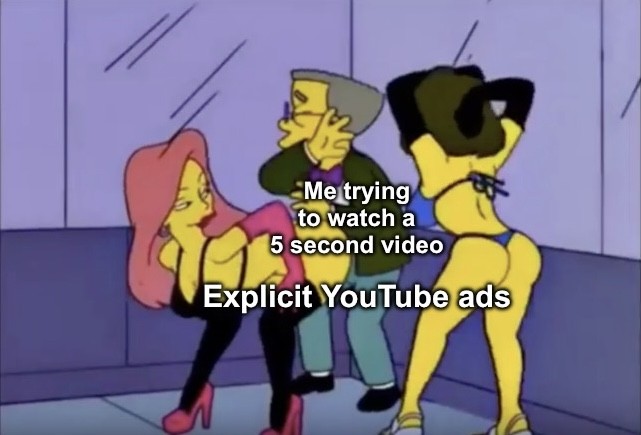
Before you say it: I do use Adblock on my computer but sometimes YouTube updates their site to make those not work, and sometimes I browse on my phone which doesn’t have Adblock
Before you say it: I do use Adblock on my computer but sometimes YouTube updates their site to make those not work, and sometimes I browse on my phone which doesn’t have Adblock
No criticism, just curious: why no ad block for the phone?
All I know is YouTube has more advanced ad delivery methods than DNS blocklists can filter, so you need client-level blocking. This only works if you use browser plugins or 3rd party client apps. YouTube’s first party app will always have ads.
Please correct me if I’m wrong, this is just my understanding.
It sounds like you have a level of understanding beyond me. I just have have browser ad blocking.
I don’t know how, my phone is old-ish and almost out of storage space, and I’d like to replace it with a new phone when I can decide on what suits my needs and I can splurge the money on it
Edit: also, most of the time I can just refresh the page on my phone and the pre-video ad on YouTube goes away. This doesn’t work for mid-video ads, which I just got in the middle of a song on YouTube 🙃
That makes sense. Firefox has some good extensions, if you just want it browser-based on your phone, and f-droid has some whole-phone options. Just FYI in case you’re able to take advantage of one now or at some point in the future.
Edit: Also, does your phone have an SD card slot? If so, that can be an inexpensive way to boost storage and get more life out of your phone.
If you’re on android, revanced is pretty easy to get up and running, it takes the place of the YouTube app you already have installed so no worries about your limited storage space either
I’m on an iPhone SE right now. Android with Revanced/
GraphiteGraphene was one option I was considering since I’m kind of sick of Apple (all my previous devices were Apple brand gifts), but I don’t know how well Android functions to store and play music files like Apple does. I’d also like a good quality camera, but I don’t need one that is absurdly high quality.On my phone, I actually play YouTube on the web browser rather than in the app because that allows me to refresh the page and bypass the pre-video ad.
I appreciate everyone’s advice and tech knowhow.
If you’re looking to switch to graphene, you’re limited to the google pixel line, which isn’t a bad thing imo. Older models can be had for cheap, and they have good specs.
I’m on a pixel 6 right now and it’s served me well. I’d recommend buying a 7 and up though, as the 6 is nearing the end of its support (I think graphene will support it for a few more years but I’d double check that before buying one). But a standard pixel 7 can be had for ~$150usd so not a bad call. The pixel 9 and 10 have AI chips in them so if that’s a deal breaker for you, you’re limited to the 7 and 8 (both still good options). And if you do move to graphene it kinda nullifies the whole AI chip thing anyway.
The default media player on pixels are kinda ass, however. They work fine, but the UI is janky. But there are plenty of media player apps available both on the playstore and through alternatives like f-droid. You can also find cracked versions of most “premium” apps pretty easily online. So if you find a media player you like, but it has ads or some other garbage, you should be able to find a cracked version with little hassle.
And completely unrelated to switching phones, if you’re able to add a private DNS into your wifi settings like I can do on my pixel, you can add base.dns.mullvad.net to the private DNS box and it’ll take care of 99% of ads (can’t speak for youtube specifically) on your phone
All Pixel phones with Tensor SOCs have “AI” Chips. So even the Pixel 6 and 7 come with a NPU.
Ah ok, I must’ve bought the marketing haha. I remember their whole schtick with the 9 and 10 was the “brand new AI chips” for “better performance and privacy”
I’m a huge nerd so take everything with a grain of salt how my experience translates to a non-techie.
Storing and playing music with Android is pretty straightforward. You just copy your music into the music folder. Then use either the media player your phone comes with or choose one of the 1 million other options on the playstore/f-droid. But i never liked Itunes to begin with. Not with the Ipod i had 20 years ago and not with the Ipad i had 10 years ago. It just gets in my(!) way of how i want to do things. If your whole music library and management revolves around itunes… uuh yeah, idk its going to be a new learning experience i guess.
Good quality camera shouldnt be an issue. Especially coming from a SE. Look up Samsung/Google/Apple camera blindtests on Youtube. The differences are minuscule and mostly about how they handle whitebalance (yellowish/blueish tint) and how pronounced the contrast in the shadows is. The UI of the camera will be different. But if you just point and shoot without needing more advanced settings it will be just fine.
If you want to use GrapheneOS or a custom ROM in general: Buy a Pixel and flash GrapheneOS. If your not a nerd other custom roms will be a huge pain to install. Graphene has a pretty straightforward web based installer which guides you through the process. The cheaper “A” models had pretty often issues with their batteries. But atleast Google just reimbursed everyone in those cases. I’m still on my Pixel 7 and i dont see any reason to upgrade until its support ends. Camera is still great, performance is still great, screen is great, battery life is okay. Choosing anything between 8-10 series Pixels should be just fine. Older ones have a shorter support period. Newer ones a slightly more expensive and a bit better. Pro models have a bit more ram and a telescopic camera for more zoom. Nice to have but i(!) wouldnt pay extra for that.
I have an iPhone SE too! Ublock Origin LTE is now on the app store so you can add it to Safari if your software allows it.