Release Notes
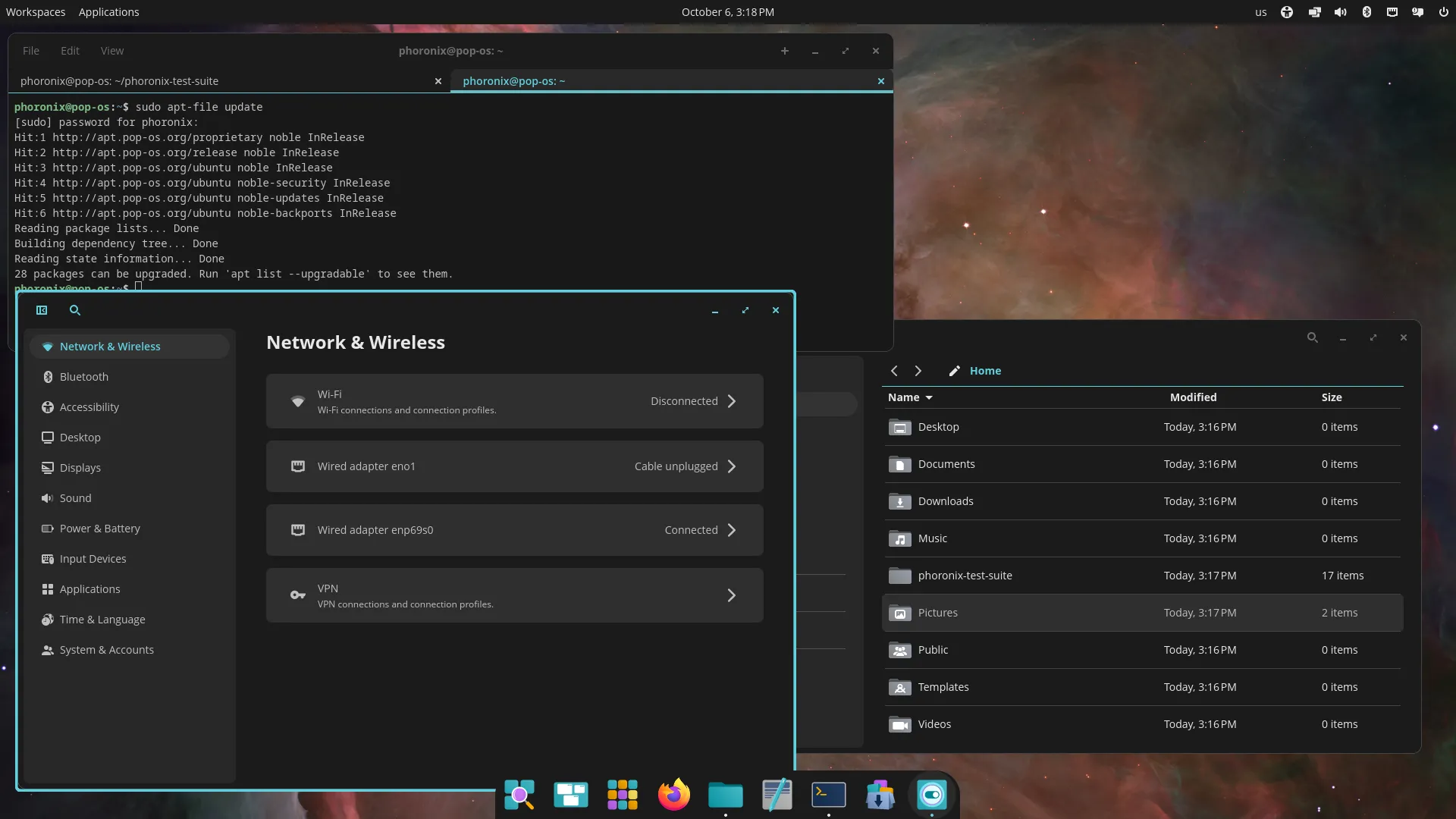
Pop!_OS 24.04 LTS includes the new COSMIC Desktop Environment, designed and developed by System76.
Some GNOME apps are replaced by COSMIC apps
- GNOME Files (Nautilus) > COSMIC Files
- GNOME Terminal > COSMIC Terminal
- GNOME Text Editor > COSMIC Text Editor
- GNOME Media Player (Totem) > COSMIC Media Player
Pop!_Shop is replaced by COSMIC Store
Key components
- COSMIC Epoch 1
- Linux kernel 6.17.9
- Mesa 25.1.5-1
- NVIDIA Driver 580
Some games may start partially off-screen. Press F11 or Super+F11 to fullscreen the game
Display toggle hotkeys and an on-screen display is not supported yet
COSMIC has a built-in screenshot tool. If you require annotations, we recommend Flameshot, which can be installed from Flathub via COSMIC Store. Version 13.1 or higher is required for COSMIC
COSMIC is not currently optimized for touch devices. An on-screen-keyboard is in development.
The COSMIC Desktop will be continuously updated with new features and improvements after release
Kernels and hardware support are continuously updated in Pop!_OS
You can follow COSMIC DE feature and improvement progress on the project board
You must log in or register to comment.
Anybody tried out cosmic and know how it compares to other DEs? More of a tiling WM guy myself but interested cause I heard it’s mostly written in Rust
I’ve run tiling for years. Cosmic treats tiling as a first class citizen. I enjoyed it.
Try it out.
I still tile, but plan on checking out Cosmic again in the near future.
Interesting, thanks, I’ll try it at some stage
It’s the baby’s tiling DE. A lot of things you would need to look up how to implement on your sway config is likely already implemented with GUI customization options, some design choices are weird (like how you can’t switch to Workspace 5 if you dont have anything on Workspace 2,3,4).
If I were just starting to use a tiling WM, I would %100 use this. Too bad I already have my config set up.
I gave it a little test 2 days ago. It’s lacking polish and a few options you’d expect to see.
The auto tiling works very well.
The PopOS theming often doesn’t work on apps you download, often they don’t even respect your dark/light mode preference.
I had one crash, but it was fine upon reboot.
Padding and visual consistency is a bit hit and miss.
Personally I’d say it’s not quite ready for my tastes, but it’s certainly usable. I can definitely see the complaints I have being rectified in pretty short order.
The not respecting light/dark mode would ruin it for me. I can see how in the future it’ll be a very worthwhile DE though, thanks for sharing your experience
It’s almost 2026.
Yeah, in my opinion they should not have been obsessing over getting COSMIC to work before releasing 24.04.
Ya, it seems odd to be releasing a 24.04 in 25.12 for sure. That said, 24.04 is still the current LTS and so it is the version we would be on now if they had released earlier (even a year ago).
They plan on releasing a 26.04 LTS as well. So, Pop!OS is not lagging. It just feels strange now.
As I said in another comment, critical parts of Pop!OS 24.04 are also quite up to date including the kernel, Mesa, NVIDIA drivers, and of course COSMIC itself.
Moving forward, I expect the versions of COSMIC in 24.04 and 26.04 to be the same. If I was them, I would even consider syncing Mesa between the two. It will make support and testing so much easier and they are already shipping a newer Mesa in 24.04 anyway.
It looks nice, but I don’t want to downgrade back to a 24.04 LTS release.
Currently running Kubuntu 25.10.
I ran 24.04 LTS earlier an it had terrible gpu and wayland issues which are fixed in 25.10.
Kubuntu 25.10 runs amazingly.
I’m waiting for 26.04 LTS before trying out Cosmic.
Cosmic will have sorted out the biggest new launch bugs and paper cuts by then, and I won’t have to use 24.04.
Fair enough.
But before you scare anybody off, it is worth pointing out that Pop!OS 24.04 is quite up-to-date in those areas.
- kernel 6.17
- Mesa 25.1
- NVIDIA 580 drivers
- current Wayland (COSMIC)
Those are what is going to drive your GPU and Wayland experience and they are about the same as you get in Kubuntu 25.10
A lot of the 24.04 packages will be older for sure but it is not fair to compare COSMIC in Pop!OS to the old KDE version you would have been using on Ubuntu 24.04 (Kubuntu).
And I expect Pop!OS 24.04 LTS to see steady COSMIC updates on the road to 26.04. It would kind of shock me if they do not harmonize the desktops between those two releases.
This is a lot. Buggier than I’d thought it’d be.
Tried to change the background color and it crashes the settings app. Search works for exact spelling only and not context or meta data. Search for image and music and you’ll get nothing.
However there is a lot of potential and it’s what I’d install on a MacBook as an alternative. Maybe next release would be good.
The little things you expect to work that don’t it’s the biggest adoption barrier.
Downloaded, created USB media, booted.
No mouse. Cursor stuck to the upper left corner. Keyboard erratic or not responding.
I really want to unwindow, but at this rate…