
You must log in or register to comment.
do you even password manager?
my bank did this shit to me. I finally tracked down a dev that worked on the software through LinkedIn.
I asked why the fuck does this happen. their response?
When your password expires it will give you a password invalid on login. this is the best way the software can force a password change.
I seriously wanted to hurt the guy, but realized he was just trying to deliver a feature that his boss wouldn’t give him the time to fully deliver on.
now, for a moment, just imagine how many other corners were cut when your banking software was written…
Seriously.
The worst is when I forget what the requirements for the password were, and that all I did was add a special character to the pw I thought it was. So when I get to the “enter new password” part, and it actually tells me that I need a special character, then I enter my current password and get this message
Atleast you found out your password
But it won’t work anymore
But also ‘passwords don’t even matter anymore. They don’t keep you safe. Get an MFA’ And yet it has to be changed every 3 months with complicated instructions on characters
my bank blocks the ability to copy and paste passwords into the password change form.
want to have a 128 character alphanumeric password with multiple special characters? you’re going yo type it allllll in, twice.
oh, you have
@%:;}°¥¢characters in your password? we only allow!?+-(). now do it again.hey, we noticed your password has too many repeating characters. repeating characters:
88now do it again.hey, your password must start with a letter.
hey, can’t be an uppercase letter.
hey, can’t end with
0
Might this be useful to you? https://github.com/jswanner/DontF-WithPaste
almost as bad as directtv
Was working on my gramps account yesterday… the website auto logs you out when you click a link then they have a limited amount of times you can do email 2fa in a 24h period so after 4 or 5 logout you are locked out of your account for 24h
At least it’s not “Invalid, this password is already taken by user SweetyPie1997”
Bullshit IT trick. If they suspect a possible security compromise they’ll force this out to everyone. It gets you to change your password without them revealing that they may have been compromised and had data stolen.
Armis did this to me. I use Bitwarden, I know my password was right.
That is not how it works.
They keep a log of the 3 (or more) previously used passwords. If you try to change to any of them, it will give you this error.
So if you changed your password and then forgot. Changing it back to the password before that will tell you not to use previous passwords even if it is not the current password.
Except sometimes I know for certain the “wrong password” it wants me to change is the currently used one.
It will also tell you a password is incorrect using a VPN in certain cases, which is an okay security measure, but it can be pretty annoying till you figure out what’s going on.
Companies like Apple say the password has to have a capital lowercase number and 8+ characters. But leave out that your password can’t be something you have used in the last year, can’t contain your name, birthday, or email address. Those errors will come up separately. In this case it would say you can’t reuse your password. It doesn’t say your last password because it wasnt your last password. Some people just don’t use the password daily/weekly, so they forget 6 times a year and have to keep resetting it.
Also the number of people forget their passcode because they use face/touch id all all the time is higher than you’d expect apparently. I knew someone who used to complain about it when they did support for them. Essentially people plug their device in every night, use it daily and never turn it off so it always accepts face or touch. Then they leave automatic updates on … and it restarts for an update and they can’t get back into their device because face/touch doesn’t work on first boot, it is a subsidiary of the passcode and cannot be set up without the passcode.
Then since they forgot their passcode, they have to wipe everything from the phone to bypass it… But of course they don’t know their password so they can’t sign back into their account and it is then activation locked because that’s how they prevent people from using stolen devices.
Then the extreme cases dude was telling me at that point is they changed their phone number at some point, so they can’t reset their password without it, it takes days if not a week to recover the account, all the while their phone is a brick
my favorite is my login for my phone needing me to authenticate i with… the authenticator… on my phone…. which to log into the authenticator…. requires me to verify using the authenticatior…
you call the IT department and i get an AI telling me that all password retrievals are done through the web portal, so it sends the password reset… to my email, accessed by my phone, that needs me to authenticate using the authenticatior…
the real answer it to lie to the AI to talk to a person and ambush them with a password reset and don’t take no for an answer.
i am currently 1 month behind on my required training modules about the importance of network security.
If your talking about a company like Apple, they can’t reset your password no matter what, they have no access. It is only controlled by the user unless it is an account recovery which takes days. (Which if a user creates an account recovery key, it takes it completely out of their hands). It’s a 28? Digit code that makes it so the password/account can never be recovered without that code and access to the phone number on the account unless there is still a device logged into that account you can change it from. You could have spent $8000 on the account for subscriptions/music/whatever, you won’t be able to access it ever again. All purchases lost
from what people told me who’s had this happen, even with a lost account recovery key it is possible to recover the account, it’s just apple doesn’t advertise it.
Basically it’s the same account recovery process but they nuke the accounts cloud(which is likely a deal breaker) prior to handing the account over. The issue is you can’t start that from a self service portal, it has to be originated from apple support and getting them to actually do it can be a pain because they don’t like to for obvious reasons.
also i believe Not having a method of account recovery that allows you to retain goods that was exchanged for monetary value would be concidered fraud so I would expect they are forced to have some way of retaining purchases as long as you can clearly identify yourself as the buyer
no it’s a company login.
God’s, I’d hate to deal with losing my phone number. I have most everything crosslinked where my number isn’t the only option, but some I’m sure would still give me a big fat FU to deal with. I have all my passwords to everything correctly saved in my PW manager, at least
There’s a special category reserved for the devs that design their apps to invalidate passwords, but not give a message saying the password is invalidated and needs to be changed.
In my experiences that is usually the cause. Them invalidating the password sending an email (or sometimes not). cue me trying the old password, failing, changing the password, and getting that message. /tableflip
The time and attendance software at my old job would do that. It took me a while to figure out that it wasn’t me forgetting the password, the password had just expired. Extremely frustrating.
Came here to say this.
Pretty sure most of the time the password is expired or invalidated, as you said, but whoever vibe coded the system was too lazy, too dumb, or too terrified of being blamed for the frustration of changing a password, that they think it is better to put ALL the frustration on the user.
Whatever the reason, I fucking hate them.
“I’ll just gaslight them into thinking they couldn’t remember it”
Fucking assholes.
That’s to real to be funny.
2 Real 2 Funnious
I live my life a quarter-smile at a time…
I owe you a ten-second laugh
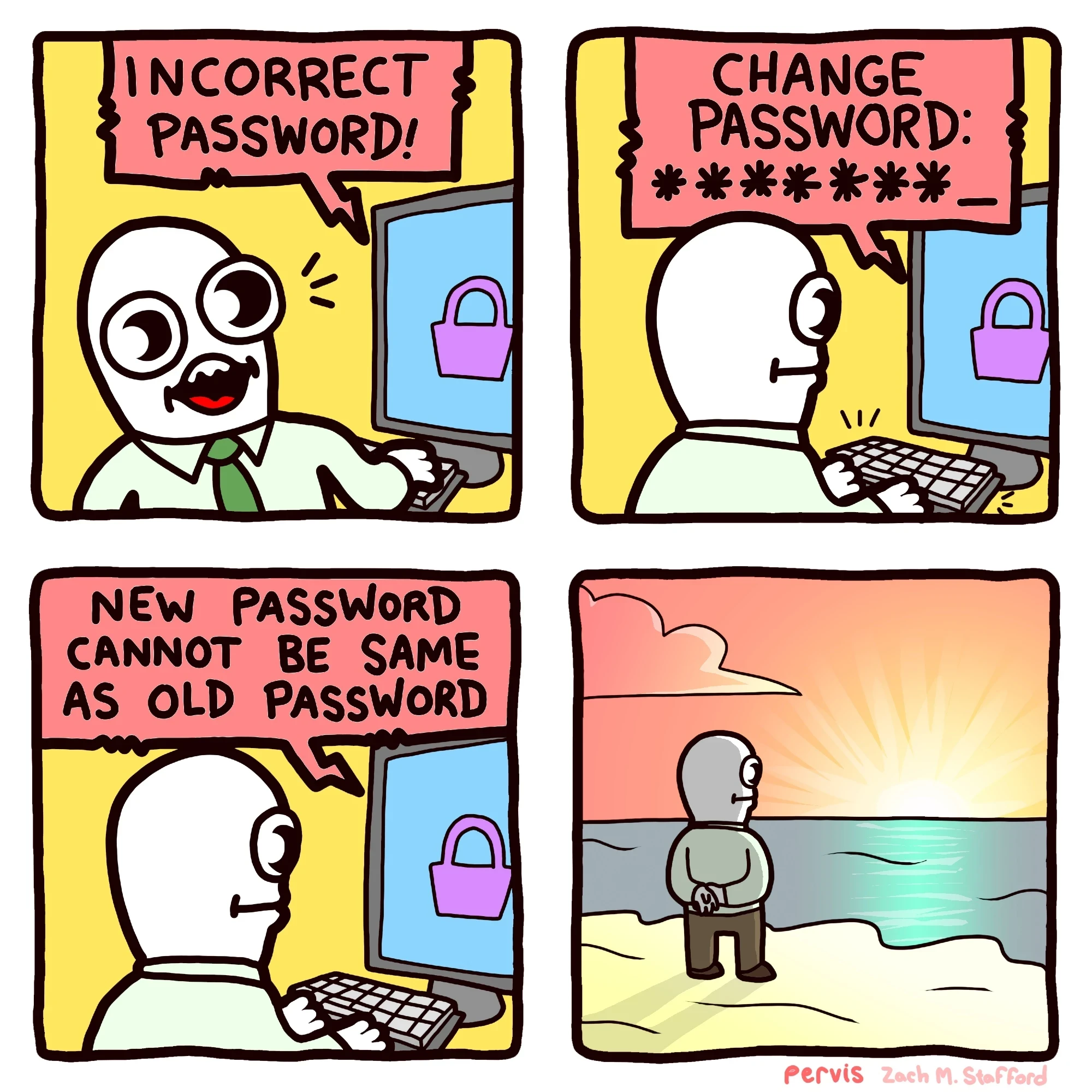
I’ve gotten “New password cannot be the same as the four previous passwords”. I live too far from a large body of water to watch the sun rise/set over the horizon and ponder my life.
Password1
Password2
Password3
Password4
Password5
Password1
Aaaaaaaand repeat.
All I see is *********
Shuddup, you don’t know me!
You can really mix it up by changing the ! at the end with ?. The hackers will never expect that.
That one is okay-ish. The one that is going to have me getting in the elevator with my samurai sword to go and have a chat with somebody is “Your password cannot contain any sequence of characters from previous passwords,” or “password cannot be your old password backwards.”
Sure, just admit to me that you’re storing passwords in plain text as carefree as you like.
The backwards one can be easily checked against the hash of the previous password, no need for plaintext.
Government sites do this to me more frequently than any other site. The worst part is that I use a password manager so I know for certain it’s the correct password.
Some sites have a character limit they don’t tell you about. They accept the password when you make it, but they also chopped off the last 10 characters.
Password is only 8 characters. It’s the perfect password!
I only see ********
edit: boo my hilarious joke from 2005 doesn’t work
hahaha, you hunter2ing hunter2.
Yes. I tried my best, but failed miserably.
But then again, failing miserably is my best. So in a sense I succeeded as expected.
Task failed successfully
Those devs need to go straight to jail. Do not pass Go.
Google, of all companies, limits passwords to just a hundred characters.
This happened to me yesterday. Turned out that the site had a password length limit on the reset-password-form, but not on the login page.
Is he watching the sunset, or did he throw his computer in the water?
Yes?
When that happens I usually just exit the password reset page without entering a new one and then log in again with the old
Incorrect Password
They invalidate it because they got hacked or they fucked up some other way but they don’t want to admit it, so they don’t tell you about it and they act like the user is wrong.
Ive never had a password continue to not work after doing this, personally, so I must not’ve encountered that reason
Why can’t people use a password manager
I do, but more and more sites are unintentionally (or intentionally?) making them hard to use, by relying on Javascript triggers, like requiring typing in each field or at least putting each field into focus, before the “log in” button becomes active.
Peak anti-usability. You sure you want to login there?
One is my bank, so, kinda, yeah. That one just has the “active” triggers, so it’s easy enough to click-click and then login.
I forget what the other one I hit occasionally is, I just did it the other day, too. That one I actually have to type a character then delete it after the password manager fills in so I can log in.
I can’t figure out why they are doing this…I guess it’s so that you don’t accidentally try to log in before typing username and password, but…
I still haven’t seen one of those asshole site
I prefer having my passwords stored on paper in cyphers.