You must log in or register to comment.
rm -rf /
GNU/Linux sees this and says: ok.
you forgot
--no-preserve-root.
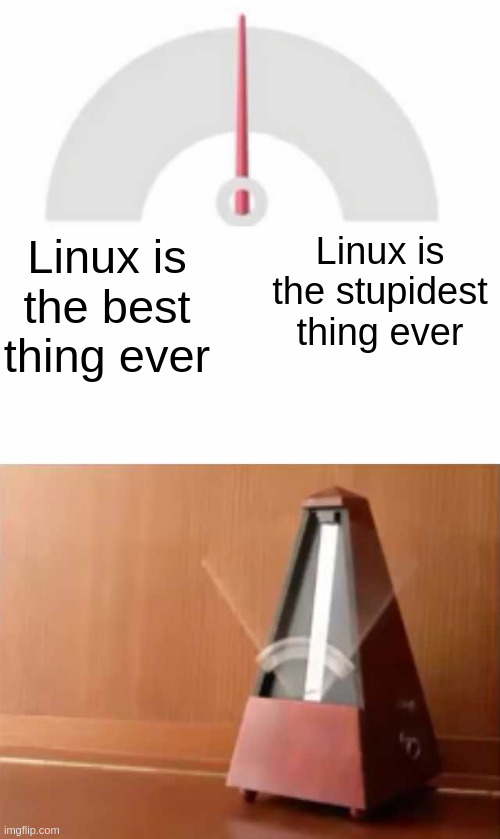
Linux is the best thing ever <> I’m the stupidest thing ever.
It’s not my operating systems fault it does exactly what I tell it to do
why is this fix not working?
::squints::
this post is from 2014… stupid Linux
The left hand side is whenever I rice a fresh install. The right hand side is whenever I have to edit /etc/fstab
yeah but there’s also been plenty of times i’ve been just screwed on windows where linux would have let me just go fix it myself, so that’s still “linux is the best thing ever” for me.
I want to fstab myself in the head every time I need to manually edit that file
That was my thought process for a bit with having a raid not get mounted intermittently. Now it’s finally stable.
There’s no perfect OS. There’s a lot of things about Linux that will drive anyone nuts. That said for a largely community driven project it’s amazing.
I’d much rather have the Linux annoyances than the Windows annoyances.
I’ve found it’s either just that it’s a lack of support issue aka not enough Linux users for that product or service to justify support or good support. Either that or whatever I needed was a project run by a single guy so it works kinda but also kinda not.
I guess one issue I used to run into particularly in development was conflicts in setting up a lot of things. Now with atomic systems and a sandbox for all my dev tools alongside snapshots that’s essentially dealt with. Also flatpaks can be a massive pain in the rear if one wants more direct CLI control or is getting other issues with the sandbox of the flatpak format.
I was really into the VanillaOS project for a little while but it’s somehow gotten worse instead of better, at least the last time I used it earlier this year.
Never happened to me… But nixos? Exactly that. The distro is awesome, the language makes me want to print the entire source code and make it’s creators eat it
One thing I wish Linux got its shit together for is the middle click paste selected function. I tried to like it, but if you work on editing a long text this shit is downright a liability. I was working on a 20 000 word essay and when I thought I was done and was about to submit it I realised that when I was scrolling through it to work on it the center click was accidentally clicked a few times and it pasted random bits of text throughout.
This also makes center click unusable in video games.
I want the ability to turn that shit off. Ctrl C and Ctrl V is plenty practical already. KDE has an option to disable it but it doesn’t actually work.
*Edit: solution in discussion below
I’ve never had this kind of problem in several actual decades of running Linux. Mouse2 paste is great.
I conclude it’s a skill issue.
There are ways to disable middle-click pasting. A quick web search turns up a few.
Either way, I’ve never had the need to disable it for the handful of games I play, including a couple where I regularly use middle-click.
For me a quick web search turned up plenty of posts from people complaining about the desktop environment provided way of disabling it not working. Most of them had no replies. Others had tone-deaf replies suggesting to turn it off using the option they said wasn’t working. And finally a few suggested to run a variety of shady scripts that mess with the guts of the system with no way of undoing the if they break something.
And I’m so happy for you that it works for the games you play.
Edit:
Actual solution found:
After a much deeper search, I’ve found out that buried in there was the actual answer I was looking for: The Linux version of Firefox is independently applying a middle click paste on its own regardless of whether you’ve had it disabled in your desktop environment options or not. For those who are struggling with this: You can disable it in about:config by changing “middlemouse.paste” to false. If you’ve also disabled in your desktop environment settings, it should be gone for good.
I saw that post about Firefox. If you’d said it was browser games causing issues, I might have linked it. (Or I might have failed and not done that. What ifs are tricky.).
If you want kind of funny, someone posted CSS Quake a while back and that browser game has WASD keybindings and Ctrl bound to movedown / crouch. And if you crouch and move forward, it closes the browser window. And there’s no way to fix that.
I wasn’t talking about browser-based games. The middle click pasting makes the middle mouse button unusable in games at least in my distro (Fedora). Disabling it in the DE settings fixed that issue which was separate from the annoyance of accidentally pasting text while scrolling, which was also solved by disabling it in Firefox.
Sorry, I don’t have such weaknesses and thus cannot relate.
For recursive behavior, tell me if each of these requires
-ror-R(or either) without looking it up (man page,--help, web, etc):- chown
- cp
- ls
- rsync
- scp
- zip
Also whoever decided what the tar flags will be needs to be hit with a brick, repeatedly if possible.

without looking it up:
chown -R
cp -r
ls -r
rsync. (idk, i always google this one)
scp -r
zip -r
but why not look it up? you either use a tool and arguments often enough to memorize it, or you don’t.
It’s not about looking it up or not, it’s a challenge to the boasting of the commenter above me in the context of the OP’s post.
ah yeah that’s fair. but also i kinda agree with that person’s response. getting frustrated with linux doesnt mean linux sucks, it means you are learning. ive been using linux for over 20 years, and i still find plenty of things that take me out of my element. and that’s a good thing.
deleted by creator
um the original meme says “linux is the stupidest thing ever” on the pendulum.
sorry youre in a bad mood. and sorry i contributed to it.
Apologies
without looking it up (man page,
--help, web, etc):But why? Why would you need to do this when we have access to these tools?
Pointless test.
-R -r -R -r -r -r I think
I don’t know if this is true, but if yes, then -R is a GNU weirdnessNo wait that doesn’t make sense. ls is also GNU.Oh god oh damn my kde doesn’t tell me that…
Okay I’ll give it a whirl:
- chown: yes, I think
- cp: no, pretty sure
- ls: what? Like for a tree? For folder size? Idk I say yes because there’s nothing recursive to me about standard ls
- rsync: literally no clue have never used it but I’d guess no
- scp: yes pretty confident
- zip: yes also pretty confident
The actual reason I barely ever find Linux annoying is because my Fedora KDE just does all I need it to pretty much all the time.
With
lsyou can list the contents of directories recursively. Or you can list the contents in reverse order. One of them requires a lowercase “r”, one requires uppercase, but which is which? It’s not such a big deal that different commands have inconsistent syntax, but even having run Linux as my primary OS since 2004, and before that Unix since 1993, I still have to look these up sometimes.Aight I got cp wrong, which is kinda silly since I knew it for scp but I’m happy with that nonetheless
A couple more challenges:
- As an unprivileged user, append multiple lines to a file owned by root, using sudo and a here document.
- Redirect both stdout and stderr to a file using Bourne shell syntax (not bash!)
Every damn time.
I think rsync is lowercase, and maybe zip. The rest I think are uppercase. Complete guess though.
funny I never had this specific issue with recursive behavior. I find it obvious that only rsync and zip are recursive by default, but I’m not sure why.
edit: ah you mean which ones are lowercase or uppercase, that makes more sense.
There is no metronome.
You see?
It is not the metronome that oscillates, but yourself.
The blessing and curse of simplicity.
sorry i am a non-metronome owner and thus cannot relate
Vulkan cache every time I launch. Preaching don’t work if I don’t leave comp on when not playing. Increasing size of cache relies on old config file text from forum