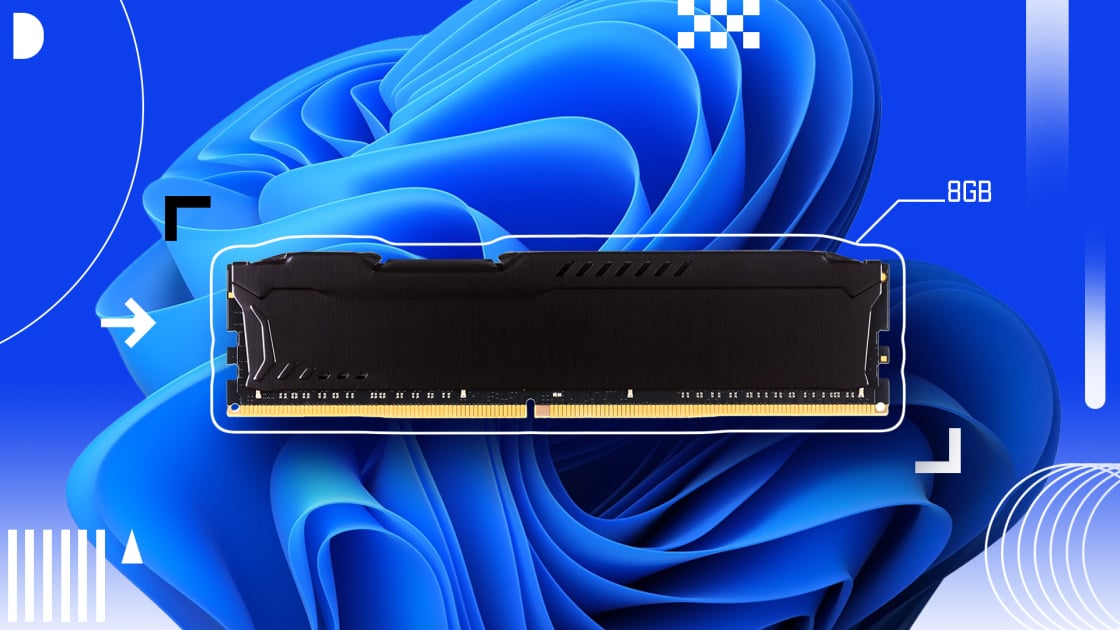
Seriously, Don’t Buy a Windows 11 PC
With 8GB of RAMFixed that for them
I just bought a Win 11 laptop last month for work.
It runs my Linux distro extremely well.
Seriously, Don’t Buy
a Windows 11 PC With 8GB ofRAMShould be more accurate at today’s inflated prices
My work laptop with 16GB struggled after “upgrading” to 11, and 10 was decent on it before.
On the other hand, an iMac with only 8GB works fine until several people log on and leave stuff running like steam and minecraft
Don’t use windows haha.
That’s a crazy high amount of RAM to just run Windows. Roughly double 10-15 years ago. IDK why but I assume any increase in that time is just unnecessary bloat.
A lot of it is a genuine increase in package content (oi, oi), including extra tools to run 64bit programs, higher resolution textures, more features means more code, and as time goes on standards change and so do dependency requirements… Take Minecraft, V1.0.0 is (because you can still download it and yes it’s legal) ~50MB after asset downloads, and version 1.21.11 is ~1.2GB. The RAM increased in unison. That’s because of everything I mentioned before it.
But Windows is a different matter. I’d say probably more than half is bloat, but at least they let you choose to download some things like a hypervisor or IIS server tools. Copilot should’ve been a Windows Feature off by default. “Please, please put it behind a paywall!”
As it stands my Linux OS runs on <2GB and it’s not affected by the amount of programs I have installed… The only OS that’s sustainable on the RAM that Microsoft, Google and Apple are selling, is Linux.
“I’d say probably more than half is bloat”
I’d say more than half of the commonly recommended Linux distros are bloat. When you mix software from multiple toolkits, you’re pulling in a lot of bloat with them.
You’re not specifying what you consider bloat here. -It is a matter of preference. There are services I appreciate in Windows that you may not. In Arch, it would mount a drive without checking it (which cause a seize). A Linux seize is what caused the issue to begin with (Linux is supposed to have ECC memory btw because it’s not designed or evolved for desktop). -And that explains more “bloat” as Windows provides several mechanisms to deal with bit flips while Linux has nothing.
Had I only used Linux, I wouldn’t have been able to try the drive on Windows (which checked the drive before mounting, found the error caused by Linux seizing (probably for lack of ECC mem, but also issues like it had with VLC which were actually Linux’ fault, not VLC) and fixed it automatically before mounting it. Had I not had Windows available, I would have tossed the 4tb external drive.
The whole ‘bloat’ propaganda gets old to people who know what they’re talking about. A link to a cloud service like Co-Pilot being called bloat is also laughable.
I’d say more than half of the commonly recommended Linux distros are bloat.
My personal Nobara install idles at 2.5GB. Meanwhile my W11 laptop at work idles somewhere between 10-11GB. That’s a lot of data getting used up when the computer is doing literally nothing.
No matter how “bloated” you think popular Linux distros are, none of them are remotely close to W11. The worst I know of is Bazzite, which can sit around 4Gb at idle
Crikey. Yeah before I used Linux I had Windows, and I’m not a casual user. I know what I’m talking about… My first self-hosted services were on Windows: Emby and Home Assistant OS. With those two (VERY minimal) services, and of course Microsoft’s antivirus program MsMpEng.exe, as well as a pretty constant NTFS error scanner on my hard drive, the system would regularly run out of memory, have I/O delay and crash at least twice a week. The reason? Microsoft’s programs.
I switched to Proxmox, based on Linux with exclusively Linux containers and VMs, and now have near flawless (months-long) uptime, minimal resource and power usage… And I now have nearly 30 services full-time.
But I’m sure that user is referring to a PC experience, not a server. With which I can also disagree, on account of a very easy control over what is and isn’t installed, what does and doesn’t leave files and Registry settings after uninstalling, and what has the most freedom. Plus, I’d hazard, any current and maintained stock Linux distro has no issues whatsoever running VLC.
Sorry for being broad, I refer to completely unnecessary and unused programs as bloat. Like the AI component and cloud connectivity in Windows’ Notepad, or the Start menu’s adware and the fact that it is an inefficient React app, or the big one, Internet Explorer. Last I checked in the files (which was 6 years ago now) that was still installed alongside Edge. On Linux, the easy to install-and-start distros are full of potential bloat - I mean software that was never asked for, and may not be wanted, such as LibreOffice Suite, NVidia proprietary graphics drivers, or the big one - a Desktop Environment that mimics Windows.
But circling back to AI, the fact that it is a “link to a cloud service” doesn’t take away it’s pointlessness, and using their models is far, far worse than using a local or even decentralised one.
I would be interested in a few other points, were they not absolutely untrue. For one, Linux was literally created by Linus Torvalds in 1991 on a budget, non-ECC 386 desktop PC. And Windows, or any software, cannot “fix” bit flips – but turning it off and on again can.
As for any potential actual issues, I recommend trying Linux again - but a maintained distro; avoid the distros which are heavy on the preinstalled apps, because like you say, a lot of the frequently recommended ones are “just works” distros with every app one might need; and format a storage drive to a Linux friendly filesystem. I mean, Windows’ NTFS usually runs fine in Linux, but ext4 or ZFS puts the system in a more level playing field.
We don’t have internet explorer anymore and Edge is objectively the best browser by far with only Opera comparing in the feature set. Curated extension store, so MV2 with better security than mv3 providing full uBlock Origin. It has memory management for better performance on low spec PCs. Built in ad-blocking and tracker protection. And co-pilot integration is great. -You might call all that bloat, but native features > extensions if they’re good (they are).
I tried local AI, didn’t like it. Cloud link is fine, was easy to remove (and restore). Windows does a great job of introducing us to great new features without having to hear from others.
Windows is more resilient to bit flips. -Fact. It cannot correct them, but it can survive them better. I’ve written about this before as it has multiple mechanisms to help deal with them.
As for any potential actual issues, I recommend trying Linux again
Damn me for responding before reading your whole reply.
You know, that honestly does make me kind of wonder what an actually decent, modern low-memory configuration for a Linux desktop is. I generally avoid blingy desktop stuff, but I also usually max out the RAM on my systems. I did once, for the hell of it, use a 2GB (upgraded from 1GB) eeePC for a few years for work, just to see whether I could reasonably do it. Had a lot of other software engineers chuckling at me, but I put the thing on a cantilevered platform to put it right in front of my eyes, so the tiny screen filled most of my visual field, and used an external keyboard with it. I used it mostly to run a web browser and terminals on a remote Linux system, so mostly as a thin client, was doing compilation and such remotely. The basic configuration, aside from being Xorg, i3, and urxvt instead of Wayland, sway, and foot, was pretty similar to my current configuration — just that I had about 2% of the memory I presently do. I didn’t run heavyweight things, like games, compilations, etc. I’m pretty sure that I occasionally used LibreOffice locally, though.
I kind of wonder if I could reasonably use a 2GB Linux desktop system today without too many tradeoffs. A lot of games would be off the table, but outside of that…I wonder if current browsers could be made to run in a reasonably low-memory configuration.
You can definitely run a 2GB Linux system now if you’re using it like a traditional Unix system, console only — there are much smaller, specialized Linux systems out there, like OpenWRT routers. But I’m talking graphical and at least lightweight use of typical productivity software.
EDIT: Debian says yes for the current release:
https://www.debian.org/releases/trixie/amd64/ch03s04.en.html
Table 3.2. Recommended Minimum System Requirements
Install Type RAM (minimum) RAM (recommended) Hard Drive No desktop 512MB 1GB 4GB With Desktop 1GB 2GB 10GB The actual minimum memory requirements are a lot less than the numbers listed in this table. With swap enabled, it is possible to install Debian with as little as 350MB. The same goes for the disk space requirements, especially if you pick and choose which applications to install; see Section D.2, “Disk Space Needed for Tasks” for additional information on disk space requirements.
The installer normally automatically enables memory-saving tricks to be able to run on such low-memory system, but on architectures that are less tested it may miss doing so. It can however be enabled manually by appending the lowmem=1 or even lowmem=2 boot parameter (see also Section 6.3.1.1, “Check available memory / low memory mode” and Section 5.3.2, “Debian Installer Parameters”).
Installation on systems with less memory[2] or disk space available may be possible but is only advised for experienced users.
It is possible to run a graphical desktop environment on older or low-end systems, but in that case it is recommended to install a window manager that is less resource-hungry than those of the GNOME or KDE Plasma desktop environments; alternatives include xfce4, icewm and wmaker, but there are others to choose from.
That being said, there are going to be applications that can, based on workload, definitely not work reasonably on such a system. Dunno how Chromium/Firefox would do, as one of the two is kind of essential for most desktops today. The OS can only do so much there, aside from getting other things out of the way and maybe using compressed swap.
EDIT2: Apparently, on low-memory systems, Firefox will unload the content of background tabs, and has a priority list for unloading them; this is visible in
about:unloads. That sounds like it’s a substantial part of its low-memory strategy. I suppose in the case of extreme memory pressure, you’d only ever have one tab, the visible one, actually rendered and residing in memory.I have an Acer Aspire One (very low spec mini laptop from ~2010) with 2GB of ram; it runs modern linux distros with xfce with better performance than it had running Windows 7 when it was new (which is what it came pre-installed with). Doesn’t run much modern software obviously but it does work for web browsing (firefox). It’s noticeably slow, but it always was.
About the same, I have an old netbook HP Mini 311 with an Atom 270 or something, it came with 1GB of RAM and winXP, I installed another 2GB to have 3GB, worked fine, then installed MX Linux with Xfce, even the nvidia GPU was working fine in it.
For fun I tried to install win10Pro, it worked!!! was basically unusable, but it booted to the desktop.
Yeah, though last I looked, Xfce was still really X11-only, so unless that’s changed, I’m assuming that you’re running X11. A lot of my unknown here is “how does a Wayland-based system operate under low memory environments”, because that — well, and systemd, but I’d bet that systemd is less memory-critical — is probably the largest chunk of the system that got replaced in recent years.
searches
It sounds like it’s working in very preliminary form, but they’ve got a ways to go:
https://wiki.xfce.org/releng/wayland_roadmap
For Xfce 4.20, the plan was to add preliminary support to Wayland to core components without losing X11 support. This doesn’t mean that by the next major release an Xfce session on Wayland will offer all existing features, but we hope it will be minimally usable. We also intend to continue refining our applications to work acceptably on Wayland (those that already work or can be made to work with low effort).
For Xfce 4.22, the stabilization work continues. Reaching X11 feature parity is not yet our target.
We are now working on our own Wayland compositor. It is very early, under heavy development, and not usable yet. Please see its FAQ for further information.
Personal computing is becoming the enemy of corporations. How do we keep the infrastructure of production alive without their consent?
Linux
Windows will use 5-9gb just to run. Most linuxes use 1-2GB for the heaviest desktops, and around 450-650MB for the lightest desktops. Memory usage is much more efficient under Linux nowadays.
My work laptop which unfortunately requires Windows is sitting at 13.7GB in use just for teams, Outlook, and 16 chrome tabs. In the next couple years I can see 24GB becoming the minimum recommended spec for Windows
It’s going to be interesting to watch how Windows progresses. It runs so fat because memory costs dropped so consistently for so long. Microsoft didn’t need to worry about efficiency and it clearly wasn’t an organizational priority. But the engineers at Microsoft aren’t stupid. If Microsoft shifts toward efficiency as a goal, given enough time, they could make a slimmer version of the OS. I’m interested in seeing to what degree they do prioritize it.
Don’t buy a Windows PC.
You could have ended it there.The description seemed like extreme usage for how a lot of people use laptops for casual personal use. Not good for work or AAA gaming, but if you think ram prices are gonna crash soon and can get by with 8gb for now, upgrading in the near-future could potentially be an option.
That said, I wish I had upgraded my work laptop to 32GB instead of 16GB, which I did before prices skyrocketed…
The problem is that you have to be really careful about the laptop you buy if you intend to do that. A lot of laptops now have soldered, non-upgradable memory, as we’re hitting the bandwidth limits of what DIMMs can do, but the bulk of the industry hasn’t transitioned over to CAMM2 (the new removable standard) yet.
EDIT: Here’s a Reddit discussion from four years ago saying that even at that point, it was very difficult to find any laptop models that didn’t have at least partially-soldered memory:
https://old.reddit.com/r/laptops/comments/uzjmim/ultrabook_without_soldered_ram_do_they_even_exist/