You must log in or register to comment.
Just don’t have windows installed.
Yep, you learn how to get things done. If your goal is to use something that’s strictly for Windows, then probably you should be using Windows. Same as MacOS, same as Linux, and same as any other OS out there. Same things could be said for touch screen vs. MnK vs. controller.
Or at least virtualize it. With USB and PCIe passthrough, you can basically use Windows for anything but direct access to some PC components (Everything not connected via USB and PCIe, so only the MB iirc), and (many) games (if you don’t have a second, just-working GPU for an VFIO-Passtrough)
If you’re on Linux, I don’t think a windows VM is very useful for gaming? Most games run fine in proton, and the ones that don’t, probably don’t because of anticheat that will also refuse to run in a VM. I do know of one niche case that needed to be run in a VM until recently, that being SS13, but that was because of an engine dependency on IE for webviews.
Not so easy for gaming. The perf is not the same. Certain games are the only reason I have windows in my pc.
Might not be as easy, passthrough stuff can be a little tricky to set up sometimes, but once you get it going performance is identical
deleted by creator
Yep, skipped a lot of games. Sad day when Loki Entertainment when under.
That’s a bit extreme. I keep a windows install around, just in case. It’s just not in grub; I have to get into the bios boot menu and manually select it.
Is dual booting really that common? Whenever I need to test something on windows I just use a vm
Probably just the recent converts that are still 1 foot in and 1 foot out. I don’t keep a Windows VM. If something ever came up over the years, I have to decide if it’s worth setting up a VM. I think even 3 years back, I was able to update my PS5 controller loading up the update tool in WINE (Bottles). Didn’t even need a Windows VM then.
There are a lot of cases where windows is preferable or easier to deal with, I think just nuking it is more common with recent converts (I lolled a bit at this turn of phrase). You probably can do everything with wine + vm, bit I just can’t be bothered with passtrough and shit for the latter and update problems and requirement for 32-bit libraries of the former.
Is there a good word editor on Linux? Because libre office qt lags crazy on plasma wayland, doesn’t have auto lists, or horizontal line, requires an extra package for spell check, and OnlyOffice is missing basic formatting, like horizontal lines, has memory leak issues too, and doesn’t even allow selecting multiple words at a time. Srsly double clicking selects a word, but dragging unselects it.
Because libre office qt lags crazy on plasma wayland
Ok, you’ve got something going on with your system. If LibreOffice and VMs are lagging on your system then something isn’t right.
You probably want to ask a Pro Office user. I’ve just used Libre Office. Worked fine for my papers in school and edits my resume just fine.
I just use Typst for everything these days, but if you really want a gui thing there’s always the web version of google docs and ms office
Google docs and word online dont have many advanced features unfortunately.
Something is broken on your system. Libre office works fine on all other machines.
There’s literally open issues about the lag, im talking about. And even if that didn’t exist. It’s just bad. It’s not intuitive, it doesn’t have any of the convenience features that MS word has.
It’s just bad. It’s not intuitive, it doesn’t have any of the convenience features that MS word has.
Maybe, maybe not.
The last version ow MS Word I used was Word 2.0c. I quit using it because it was completely broken whenever the file got a bit large. I switched to Linux at that time and used office suites on that platform (that was before libre/open office, even before StarOffice I think, I ran Applix at the time), none of them I’ve ever had issues with.
Every VM I’ve tried are horrendously laggy.
Are you providing the guest a proper amount of system resources?
I keep a windows partition on an external SSD solely to play League 🤷♀️
These days I might do that. The thing is, I’m coming from a situation where windows was installed, fully setup and configured with whatever I needed, so it was way easier to just run that than to redo everything and setup a VM.
Also, the last piece of software I need is something used to bypass DRMs, and it kinda requires the whole thing to work flawlessly. I’ll see when I come around to launch it again if it’s viable.
That’s a bit extreme
It really isn’t. That’s like saying “I keep a bottle of anthrax in my pocket just in case”. It just doesn’t you any good! (Yes, it’s a facetious example)
But seriously, if you need Windows for something every so often, just setup a VM. Safer, cleaner, can’t mess up your host.
Windows VMs don’t perform well, maybe virtio can fix their awful drivers, but until then that’s a waste of time.
Sorry for being crude, but I hate the linux culty gaslighting.
It depends what you’re using it for. If it’s gaming, then it’s a no. But OP above didn’t say gaming. A Windows VM is fine for general tasks, but that naturally depends on the host system and how many resources you give the VM.
The performance is horrible for me, even for simple things like word processing, the cursor lag and choppyness makes it extremely frustrating for me.
Ive tried virtio, qxl, vga, and rdp. Rdp is the only one that’s usable for me and it’s still awful.
The only time it hasn’t been bad for me is with GPU passthrough, but that’s a huge pain, and I’d rather dual boot instead.
That’s not normal. That suggests some issue in the virtualization config, or maybe your proc doesn’t support virtualization or something.
Aside from graphically heavy things, a VM should only incur a minor overhead compared to the host. Word processing should function just fine.
Edit: ok, so I just tried setting up a windows vm again, and it’s much faster now, animations are still a bit laggy, but changing some windows and libvirt settings improved performance by a lot. ig it was skill issue? even virtio didn’t have the resolution issue I had before, somehow
The libre office issue is literally a known bug https://bugs.documentfoundation.org/show_bug.cgi?id=152911 and https://ask.libreoffice.org/t/libreoffice-performance-issues-on-linux/114920 etc.
With the VM, I’ve tried on my laptop (framework 16), my 8600k desktop with rx 580, and gtx 1080
12700k with gtx 1080 and 6700 xt
9800x3d with rx 9070 xt.
Lots of others have the same issues, so please don’t gaslight me.
https://www.reddit.com/r/qemu_kvm/comments/11m9a4x/why_is_the_virtmanager_display_so_slow/
https://github.com/virt-manager/virt-manager/issues/645
virtio NEVER lets me pick my native resolution either. This has been an issue on all my devices, and has persisted throughout all my PC upgrades.
Maybe I’m doing something wrong, but it doesn’t help that the documentation is so non-existent for what to pick and the specifics for each xml options.
Btw I got the rdp tip from here, and rdp actually allows my native 4k resolution https://www.reddit.com/r/VFIO/comments/1fcs0kj/virtmanager_better_fps/
I used to have windows installed for years back when I first stated using Linux… But it grew to where I never booted it again, so now I just use a VM in the increasingly rare cases certain software doesn’t work on Linux.
I have windows specifically for one game with shitty anti cheat, I don’t like it but it is what is is.
That’s me with Battlefield 6. I fucking hate it, but I have too much fun playing BF6 with friends to only have Linux.
Did you try virtualizing in i.e. QEMU?
It’s vanguard so don’t think that works. It’s essentially malware but I keep basically nothing of relevance on my windows side so I’m generally not super concerned. I basically just treat the entirety of windows as a security hole.
deleted by creator
That sounds VERY unlikely. I’m gonna need a source for that (with vanguard) or I’m calling bullshit
deleted by creator
EAC is notoriously less invasive than vanguard. The repo you linked doesn’t even have a fraction of what you’d need to hide from vanguard.
There are SO many things to hide. In theory it sounds possible, in practice just not.
To name a few, you’d have to hide:
- cpu jitter/latency
- interrupt behavior
- page table behavior
- msr access
- cache invalidation patterns
- IOMMU
- PCIe inconsistencies
- boot sequence
- driver timing
- CPUID
And so much more. It’s almost impossibly hard to hide all that. Even if you could, a tiny mistake at one point or a stealth update and you’re banned.
In comparison, avoiding vanguard and cheating on a legit windows machine is trivial. DMA cards are expensive but impossible to detect. DP/HDMI + mouse hooks are another impossible to detect option.
Pretty much all invasive kernel level anti cheat detects and blocks VMs
Also when you intentionally boot into windows and it requires at least 7 years and 9 reboots before getting ready.
Then after seemingly working it suddenly starts lagging again, and I check the task manager and see Microsoft Office hogging all the resources and filling the RAM, but I don’t even have Microsoft Office.
Windows Search Service (or whatever it’s called). Every time my VM completely locks up, it’s that fucker.
Thankfully, I can then just switch back to butter-smooth Linux for a while to do another task while Windows un-fucks itself.
Just hardkill the PSU and delete the partition afterwards.
Yeah, just shiv it right between the cooler blades.
Then it applies an update that wipes your grub and leaves your system unbootable.
grub problems
Always yummy
“wow, I haven’t been booted in months, better get those updates going”
I had this happen, and I updated, and now explorer doesn’t start or launch when I log in. I don’t use windows enough to justify reinstalling, so I just have a half broken windows install chilling in my PC
That’s exactly how my last copy of Windows retired itself.
Remove it.
No more updates for me , I’m staying with 10 since I rarely use windows and v11 is not worth the hassle.
No more updates might be ok now, but as soon as someone finds a security vulnerability, it ain’t getting patched. Maybe if it’s dire enough. Someone should put together a script to modify the registry for an easy v11 update path.
I am pretty sure windows 7 got 1 last patch a while after it stopped just because of how bad the vulnerability was. It could happen, but it will take a lot.
I’m pretty sure I was referencing exactly that, yeah.
It’s been over 200 days since I switched over… I bet windows would crash if I booted and tried to update
starts smoking while you hear rocks being ground up
More than 51 years if there’s one of those updates that will randomly decide to overwrite the UEFI removing your bootloader entirely :P
This is why it’s always best — if you absolutely must have Windows — to keep it quarantined on its own drive.
Soooo, you guys don’t have a reset button on your computer orrr?
And no I’m not fun at parties
Yeah, If I don’t catch the train, I also just uninstall the rails and hope for the best.
To be fair the train equivalent of windows would crash either way.
Me pressing the reset button…

It’s good that you’re at least self-conscious of your deficiencies.
Mine actually doesn’t.
We’d know if we got invited to some.
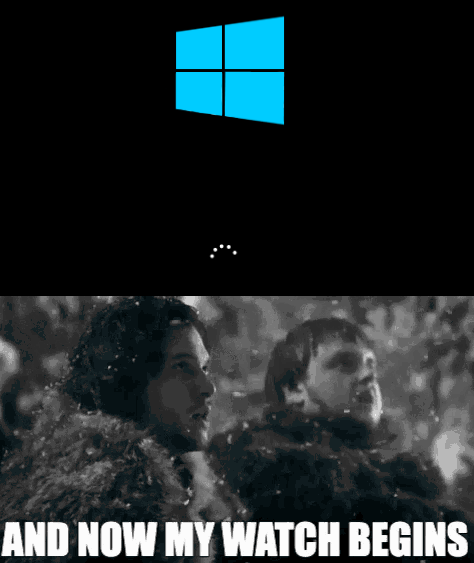
I’m lazy, I let it load automatically on 5s to Bazzite. One of these days I’ll have to put forth effort into loading Windows (also, I am intentionally trying to use Linux over Windows, learning new stuff as I go)
I have my grub set to 1s to Mint. Because of that I keep on accidentally booting to Windows like once a week.
I just setup a script in Steam to boot to Windows (you can find it on the bazzite docs)
For a while I booted to bazzite by default and just used that script when needed
I think this when you’re finished for the night and you see: Update and shut down (4 minutes). Now you lay in bed while your computer boots back to windows for 15 minutes.
Idk what i did wrong but my dual boot system just doesn’t show windows so I can never accidentally boot into it. I have to f12 to get to windows. Im sure thats a red flag somehow lol.
os-probe, the thing that suppose to help grub mkconfig auto-detect windows boot menu entry, is by default disabled in
/etc/default/grub.You need to:
- Make sure os-prober is installed
- Uncomment
GRUB_DISABLE_OS_PROBER=falsein/etc/default/grub - probably restart for good measure
- Find out which disk partition holds your EFI system partition
- mount that partition on /boot
- run grub mkconfig and override
/boot/grub/grub.cfg
Oh neat, I have just gotten used to it and by extension means I rarely boot to windows which is a good thing in my eyes.
Not entirely sure why I was getting downvoted though, maybe I finally gained a hater? Or was it the use of lol?
It was @Hawke@lemmy.world and they either misclicked or they are a raging asshole. Either way don’t worry about them.
Weird, not sure if I’ve interacted with them or not. I don’t have them tagged. @Hawke@lemmy.world did I piss you off before?
I don’t think so, no.
I feel like people put a lot more stock in downvotes than is really necessary or intended. It’s nothing personal.
Also it feels very weird to get called out like that for something so trivial. Let alone directly insulted (by the parent reply, not by you.)
Im not sure they were insulting you, it does say “or they are a raging asshole” only if you are an asshole… which you aren’t right?
I like to think I’m not. On the other hand if those are the only two options I guess I must be?
That other person though… seems to be wildly bent out of shape over a downvote on someone else’s comment. I show they deleted their other comment now but: definitely an asshole.
Anyway, since we’re this deep into the convo, might as well explain: the downvote was mostly about someone still dual-booting Windows at this point. That was not at all articulated by a simple swipe to downvote, but a lot quicker and easier (or not, in retrospect). Does that make me an asshole? Maybe; if so, I’ll take that hit to my little reputation and move on.
In the interest of continuing the conversation though, I’ll ask… what draws you to keep it around? My experience when I was dual booting was that before long I found myself not booting windows for a year or two. When I did [around the time of the transition from 7 to 10], it just caused extra hassle with things updating and breaking. And the last couple of games I had “needed” it for began working fine in Linux. So I reclaimed the space, and haven’t missed it as windows 11 enshittified further and Microsoft went all in on vibe coding slop.
Lmao they read our posts immediately and got butthurt. Like literally within seconds. Really strong and confident energy radiating from @Hawke@lemmy.world. I really look up to you @Hawke@lemmy.world you’re such a strong and powerful internet commenter with well stated and explained opinions. I hope to some day be as smart and eloquent as @Hawke@lemmy.world. I will never live up to that though.
I see some comments trashing dual boot, I really don’t understand why. I have really nice setup with Debian 12 and Windows 10. Boot pc, get to work on Linux, and other projects after. When I’m done and want to game a bit I switch to windows.
I have no need to setup funky VMs to bypass games made strictly for windows, and also don’t have performance limitations.
Just use the right tool for the right job folks.
If you need that for aggressive anticheat stuff to run, that makes total sense. I personally don’t need it since proton is so good, but I also don’t understand why anyone would hate on you for that.
I see some comments trashing dual boot, I really don’t understand why.
Back when I dual booted, every Windows update was a dice roll whether and how it would decide to fuck up my dual boot setup.
Sometimes it decides to “fix” grub. Sometimes it wanted to encrypt something new to protect me from all the theives that wander through my living room. Sometimes Windows just had an update that was 1000% sure that Windows was the default boot entry, and so doing something extremely sensitive and rebooting to finish without telling the user, should be fine.
Windows under dual boot, for me, was like having a fragile semi-suicidal pet. I found myself doing constant research to rescue it from itself.
Eventually I did let it die.
So I’m not mad at it, exactly. I’m just over it.
Damn, I relate to that, back when I used to multi boot several systems on the same drive, windows always found a way to fuck up the boot loader.
Nowadays I leave them in separete drives, with debian and grub as the main option, windows don’t even have a chance to interfere since the bios boot the debian drive first.
Nowadays I leave them in separete drives, with debian and grub as the main option, windows don’t even have a chance to interfere since the bios boot the debian drive first.
Nice! I imagine that could have saved me many headaches.
Your second paragraph tells me you haven’t even tried because the first part is just checking a checkbox in the steam settings to automatically use proton for games without linux support, and occasionally going in to the game settings (again in steam) to force it to use proton instead of a broken linux version.
And there’s no performance limitations running them on Linux. If anything, performance is even better on Linux because it isn’t running every single possible service MS wants to minimize support time and gobble up data.
Only exceptions to this are if you play games that want to do things in your kernel, or maybe if you’re using an nvidia gpu, depending on your distro it might take effort to get that set up properly.
If you have an AMD GPU, it’s actually quicker to go from start installing the OS to playing a game on linux than it is in windows between a) it not trying to steal focus to upsell you on other ms products, b) gpu drivers being included in the distro, and c) the defaults just being better on linux, thus less time spent making it less annoying to use.
It’s just no longer true that windows is the right tool for gaming, except for a list of specific games that want to invade the kernel and thus I’m kinda happy that I won’t accidentally run one. They don’t even stop cheating (which should be done on the server side anyways).
Well, I work with devops, so I am well aware of some of the benefits and limitations of VMs, and I also tried proton. But I’ve run in tons of issues when running older games that I like, specially mmos like Ragnarock Online, Perfect World, Prison Tale. They have lots of compatibility issues with the VM, even with windows 10 for that matter, which is a little easier to circumvent.
About performance, things like baldurs gate 3 and cyberpunk 77 that I like, have like 20 to 25 less frames on proton, to add salt to injury bg3 crashes a lot.
Your second paragraph tells me you haven’t even tried because the first part is just checking a checkbox in the steam
Please don’t assume thinga on the internet, steam accounts for a quarter of my time spent on games.
I’m not here to say which one is better, just saying that bashing a completely fine option is, at least, dumb.
^(edit: typo)
I really don’t understand why.
Anti-Microsoft ideologues, mostly. Giving MS any quarter is antithetical to their chosen axe to grind. Pay them no mind.
I remember those pre-SSD days! If I spin up a minimum specs VM, it’s kinda like that (which I did at least five times over the weekend). Nowadays you can load Windows pretty fast. Updates might take 10 minutes though!
Every time I boot into windows it breaks grub and I have to arch-chroot with a live archiso USB to fix it…
You got Windows on a HDD or something? The longest part of booting my PC, no matter what OS I boot into, is the BIOS splash screen and energystar thingy.
My old i5 boots to Windows in less than a minute, fully functional.
Is it Windows 98?
Jokes aside: You have to count the time from starting to boot Windows to restarting it, letting the computer do its pre-boot whatver-it-does-es, to back to grub.
And I find a minute a long wait.
I almost miss the grinding sound old hard drives made when booting up windows 98 and older
That almost never happens for me and even when it does, it’s pretty fast.
Ah! You’re moving goalposts! The meme is about choosing an OS at boot time, not up, down, up again.
I’m in the game less than 60-seconds from that point. And that’s on an old i5-1135G7 NUC, 32GB DDR4, god knows how old the SSD is, been through 3 PCs without a Windows reinstall.
Yes, Linux almost always smokes Windows on a reboot, but it’s not that big of a deal anymore.
CAVEAT: I should note my Windows install is from an official ISO, not some manufacturer’s crapware.
I’ve noticed that my windows always takes a minute to launch when it wants to sell me on either its surveillance bullshit or force windows 11 on me. And because I don’t launch windows that often, that is basically every time. Otherwise it’s quite fast at 10-15 seconds.
Linux usually boots in around 10 seconds (including loading the DE after login), though sometimes it gets stuck for a bit after login for some reason.
Ah! You’re moving goalposts! The meme is about choosing an OS at boot time, not up, down, up again.
You’re missing the point of the meme. It definitely is about accidentally booting Windows, rebooting and then booting Linux.
This guy thinks 11th gen intel is old x(
The worst is if you select the windows repair entry, that takes even longer…or a old entry that doesnt have a valid installation behind it…