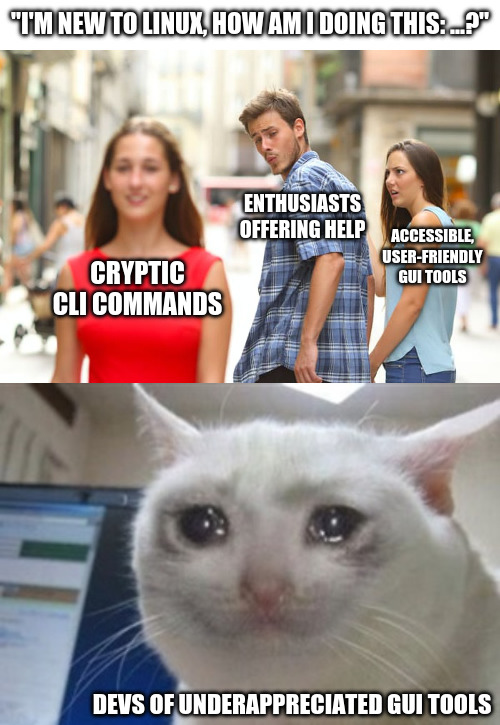
You must log in or register to comment.
You can’t copy and paste into a GUI, and it’s painful to help people to use them.
Or pipe GUI output into another GUI function.
Or
log.txtSo you want newbies blindly entering scripts to there command line and not knowing what that are doing.
They’re blindly doing it either way. I understand and want GUIs as well, but dumping commands into terminal is starting to seem easier than “go here click this, now click that”
Open “app” -> open menu -> select option -> change this / push this button.
Just as easy to write as a command. But many people (me included) is so used to go the CLI route that the GUI way is only an afterthought.
Just as easy to write as a command.
No. First you, the helper, have to find the option in the gui. Then you have to look up every step in the path through the gui. At every step you have to find the english name for the button/menu (localization exists), and manually type it (because you can’t select and copy the text of the gui (by default at least)). Also just referring to buttons by name sometimes won’t work. It is so cumbersome.
I can’t find this menu, where is it?
Now you have to go figure out what they’re actually looking at and whether it’s what you said to do or not. Command line copy-paste removes any uncertainty.
And where a typo can cause a catastrophic outcome
If it’s “oh, you can open up [application X] and it’s easy to figure it out, and there’s videos out there to cover your use case”, then ok.
But if it’s to help a user with a very specific task and they want their hand held, well from a GUI perspective I’m either making a bunch of screenshots or maybe even a tutorial video or a screen share session… Or I shoot them a relatively short CLI command that does it and move on to other things.
It is usually much shorter to tell someone the CLI to do something than it is to try to train them on a GUI for the same thing. If it’s well-trodden subject matter, well they probably already found a youtube tutorial and didn’t even have to ask.
Teach them to double check against the man page before pasting, would be my guess.
But then the CLI wouldn’t be faster anymore and the whole argument most people keep bringing up falls apart.
Also those man pages aren’t even remotely written to be understandable by Linux novices most of the time…
But then the CLI wouldn’t be faster anymore and the whole argument most people keep bringing up falls apart.
It is much faster for the one giving the answer. Also, the looking up the man page is something you only do the first time. With the gui the user should also verify before blindly following instructions, but it is usually harder to find proper documentation of gui features than cli commands.
Also those man pages aren’t even remotely written to be understandable by Linux novices most of the time…
That is a fair point. They are dense, technical and at times pretty hard to read. But when a novice asks for help they are always going to either trust blindly or verify. Verifying can be a difficult task for a novice no matter if gui or cli is suggested. I do think most novices would trust the gui way more and feel more in control of it, even if they are basically doing the same thing.
Have you read the btrfs or zfs man pages? They are very well written. You just have to want to understand it. If you don’t, let it handle your tech-buddy or admin, or have them quickly look over the command that is about to be confirmed with pressing ENTER.
their* they/those*
Ideally piping directly from curl to bash, yes
/s
basic_task_list = ['copy and paste', 'install package', 'type', 'keyboard', 'read and write' ] for basic_task in basic_task_list: print(f""" Newbies can't {basic_task}. They never {basic_task} in windows. Windows has replaced {basic_task} with copilot, this is what linux needs to do to compete. How will linux ever hope to attract windows user if it still maintains this ancient hacker 1337xor tools like {basic_task}? Users just want to turn on computer and watch it do computance - how does linux not get this? """)What’s easier to support?
"Ok, open app commandX,
now click on the button labeled Y… It’s just there, just below your mouse cur… oh now you’ve moved your mouse… no, not there, it’s more to the left, up a bit… down a bit, it’s labeled Y. Third one from the top.
Yes, that’s the one, now click it.
ok, in this pop up you type "super secret code thing’,
no, capitalization doesn’t matter.
Yes. I’ll spell it “s u p e r {space} s e c r e t {space} c o” what do you mean, you don’t have a T on your keyboard? "Or. “Open up the terminal and type this code: commandX --CodeY This will do XYZ. After it’s done, can you tell me the error it says on the screen?”
But yes, I agree, the GUI looks nicer.
Exactly. You can tell someone to type a command, and ask for the output. Otherwise you’re spending 90% of your time asking someone to explain what they see, and searching for buttons that just move around from week to week.
I dgaf about support. (i’m naturally perky).
Back in dos there was a systemic encouragement to users to at least learn something about a computer. Nowadays windows apologists seem to relish how much it dumbs down computers, (or any over supported system).
They won’t learn to ride the bike until someone removes the stabiliser brackets - and Gates is one of the cunts who figured out that he makes more cash by welding them on.
When I need to help someone with a GUI, I ask them to send a screenshot and then I put red circles on it for them lol, or number labels on the things they need to click on.
Yep, this is just one factor. It’s difficult for people not to judge a book by its cover.
Correctly done, cli is superior for a lot of things.
I’ve been in a situation like this recently and all I can say is that the CLI is universal.
Yes, it is complex. Yes, it is challenging. But it gets things done.
Don’t be afraid.
I know what you mean, just beware: in lots of cases it’s not as universal (as in distro-independent) as some still think it is.
For people who want to get things done with their PC that isn’t inherently IT-related (like, doing office work or music production or anything else) and just need to do the occasional light sysadmin thing like setting up new drives to be auto-mounted somewhere, pointing to GUI tools is just so much better. And in many cases it is also safer (making your system fail on boot with a small typo in the fstab is painfully easy).
I get where you’re coming from. But as something of an enthusiast myself I don’t always know GUI tools for all the tasks I can do in a terminal. Edit: typos
True.
As someone that started in Linux, for real, with Debian, and in a time that I had to mannually install my graphics card, I learned the way I did things on Debian was significantly different from things got done on other distro families. That, alone, kept faithful to the Debian tree.
Yeah, I’m with you. I fucked up my Deb install because I strayed from “doing things the debian way” and overtinkering with things I wasn’t meant to do.
But compared to other distros, debian feels like a bomb bunker; once you set it up, it’s going to stay set up.
Monolith is a word that fits Debian very well.
It’s like a landmark. It just exists and reality itself seems to bend around it.
I ran a Debian machine, a laptop, until the hardware literally gave up. Eight years of solid service. Regular updates and one reinstall to move to the next version.
It kept working. It kept playing music, playing videos, managing my office needs, surfing the web and receiving my email. Flawlessly.
It outperformed newer machines in its last years and people could not wrap their heads around the notion.
Debian, as a Linux+FOSS combo is a winner combo
I know what you mean, just beware: in lots of cases it’s not as universal (as in distro-independent) as some still think it is.
This is especially true when we start talking about BSDs and other non-GNU platforms.
Also, GUI changes faster than CLI, CLI has ALWAYS more options, and you can save those commands to a file.
Also can get explanations for every command.
It’s not even that complex, it just looks that way if you’re not used to using it
It isn’t, I admit. But the first impression is intimidating.
“I’m having an issue with Windows”
"Please open
CMD.EXEand runsfc /scannowandDISM.exe /Online /Cleanup-image /Restorehealth
If that doesn’t solve your issue, you need to reinstall Windows
Hope that helps!I cant think of a time that sfc scannow or dsim cleanup has ever fixed a problem
This comment should be deleted soon
Same.
I reinstall my windows partition every like year.
I have had DISM work a handful of times for work. SFC has never fixed anything.
If you actively edit/delete some system files non-essential for boot, but that would break some integrated features, sure. But random corruption of protected system files? If that happens, you’re not fixing anything without changing your storage and/or the rest of the hardware anyway.
It saved me like 5 times. Windows didn’t and still doesn’t like my computer windows 11 especially
Removed by mod
I think we should just add a button on the desktop that runs both of those.
We’ll call it… “New All”?
You forgot to start with shutdown /g
Hope that helps.
no chkdsk?
Tbf cli help is copy paste, GUI help is something I didn’t want to help with even when I was being paid for it
I find it’s the GUI tools that are usually cryptic, especially when you want to do more than the most basic operations.
A lot of devs don’t put much work into planning the flow of their GUI from a user’s perspective and it really shows.
IMHO a UI should offer everything a user can do in a given moment, readily available, nothing hidden behind more than a single menu. If something isn’t currently possible, it shouldn’t be available, and if the dev chooses to make the option visible but unavailable, it should be clearly and visibly marked as something that can be available (grayed out text for example).
I think devs tend to overestimate both the skill of the user, and the usefulness of their UI.
a UI should offer everything a user can do in a given moment, readily available, nothing hidden behind more than a single menu.
That would be a nightmare for any sufficiently complex software. Can you imagine how dense the UI would need to be for something like Blender or even Excel if literally every possible option of “things available to do right now” had to be at most two clicks away?
Bud theres obviously exceptions for massive suites like that. But I’m talking about apps with built in UIs that the dev clearly threw together as a last minute thought. Apps with every single thing you could possibly have to do either burried deep in 10k submenus, or hastily packed onto a window.
All I’m saying is there should be a clear and obvious workflow. Devs shouldn’t be afraid to say “I know better than you, do it this way”. Throwing every single tool on a toolbar like with Office suites or editing suites is awful IMO. Gimme menus, but gimme menus that make sense (looking at you Microsoft)
Anyway, you can disagree with me, and it won’t ever effect you, that’s the beautiful thing about the open software world. My opinions can be total shit, and you get to just ignore them 🥰
Sorry for rambling, I’m losing my mind a little bit more every day 🫡
I don’t really disagree, at least in principle. You’re absolutely correct that workflows should be clear and developers often do not make good UI/UX. You just didn’t really qualify your original statement with any of that and made it an absolute, but you’ve clarified now and I’m pretty sure we agree.
For excel as an example isnt it already like that? One click to the ribbon/menu, one click to the option, and maybe a 3rd if that option had a nuance dropdown
That’s when you go to alternativeto.net and get a different one. If you’re running into that problem then you just are using the wrong tools.
We’re talking about programs that are equally useful in both GUI and CLI, we’re not talking about libre office which is necessarily complex or a video editing program with a thousand transitions. Those are always going to be cryptic and always going to be GUI.
The problem with CLI is it can’t be made easier with a different interface.
The problem with CLI is it can’t be made easier with a different interface.
That’s what TUI (like ncurses) is for.
Nah
- CLI is relatively consistent, UIs keep changing; documentation on how to do X will be outdated extremely quickly and unlike CLI those changes aren’t documented nor searchable
- GUIs are straight up not documented, you can’t know an option exists unless you stumble on it
- Even if the GUI is explicit enough to count as documentation, you can’t search a GUI; the CLI documention can be searched for keywords
- You can’t automate GUIs if the need arises
I’m not against GUIs in general, but they should always be supplementary to CLI, otherwise you end up with windows
otherwise you end up with windows
Windows without the garbage? I’m okay with that.
No, Windows as in “this setting is hidden under this menu, that submenu, here click to open another sub-window…”. This will happen any time a dev tries to arrange settings in logical way (instead of flat list of toggle and input boxes), because “logically belong together” and “actually often used together or one after another” are not the same, and also dev logic, internal system logic and user logic are also three different things. Result - mad maze
Which is why many tinkerers like CLI - at least one can run
man somethingorsomething --helpin most casesYeah, man is clutch… I wonder if people would be so intimidated by CLI if everyone knew how easy it was to learn commands with man
A lot of people are afraid of text. Like, they see text on a screen and get visibly scared. Weirdest shit ever.
I feel like a dinosaur at work because many times I have no idea how to use the different programs there, mostly because everything is so incoherent (to me).
And I don’t mean a large living dinosaur cracking trees in two while chasing my dinner.
I mean a bunch of sad brown bones held up by sticks in a dusty museum everyone walks by.
Look honey , it’s the HugeNerdosaurus
So? I want to see the T rex!
To be fair, you are a dinosaur, get with the times old man
I get what you meant, I was just making a little joke, though I feel like there’s a huge difference between shitty ui that can’t be bypassed and reasonable ui that still can’t be bypassed. The latter is usually managable and tolerable.
I personally prefer having both options but in general I go with a UI.
Oh. Sorry, I got too serious :)
To do this setting, you have to open up regedit, and…
That part of Windows isn’t so pretty. A quick copy-paste of a CLI is so much better than opening up regedit. Powershell has improved this, but for a long time this was the approach for settings microsoft couldn’t be bothered to make intuitive UI for.
This guy operates systems.
I’m a big fan of Mint specifically because they spent so much effort making just about everything accessible from a user friendly GUI. I totally agree with you, every time I see this kind of thing online I die a little.
Most people don’t want to become an expert in the task they want to do. They just want to do it once. CLI tools demand expertise.
Unfortunately in Linux, UI tools often take away some of the transparency you get with the CLI tools they’re made for.
I’ve recently tried setting up a VPN connection to my workplace using the EndeavourOS configuration UI. It basically just said “can’t connect, haha, fuck you”, so I had to dig deeper. Finding out how to use the CLI commands necessary to identify and fix the problem took some time and effort, but in the end, I managed to set it up successfully (turned out most Windows admins still think l2tp is hot shit while the Linux world considers it obsolete).
In this case, UI wasn’t as user friendly as CLI, because it hid vital information that was necessary to solve the problem.
A better UI would probably have solved that problem quicker and easier. In an ideal world, you get intuitive GUI tools that cover all use cases and you still have the option to use the CLI if you want to dig deeper. So yeah, I agree with the point you’re making - Mint trying to be as user friendly as possible by offering accessible UI tools is a good thing and one of the reasons why Mint is so popular. (It’s also a reason why Windows sucks ass, because for most UI things the CLI equivalent is either non-existent or cryptic as hell…)
The point I’m making - GUI tools should always try and make using the CLI unnecessary. Taking away complexity without taking away functionality is the key, and as a consequence, those GUI tools will not be underappreciated for sure.
You should open a bug report saying that the GUI hid the error from you. That’s a problem.
It definitely is, and yes, you’re right, I should open a bug report.
But then again, you could make the argument that a user-friendly OS shouldn’t require developer level expertise that’s necessary for opening bug reports in the first place. After all, bug reports require a certain quality level that’s not obvious to newbies (like how to reproduce et cetera).
I’ve noticed this problem as well, as a Linux novice. I stick mostly to GUIs, but a few times I’ve had to figure out the command line equivalent for whatever I’m trying to do because the gui program would just close and provide no further feedback. Then I get to the same step in the command line and it gives me a whole paragraph of explanation about why it failed and how I can fix it. This info should’ve been available in the gui version, maybe like a popup error message in windows
I’m glad we’re in agreement.
It all comes down to how complete and good the tool is, both for CLI and for GUI. I’ve seen GUI tools that give more information than the equivalent CLI, and of course I’ve also seen the opposite as you have.
What grinds my gears the most though is when there’s no tool at all, you need to edit some config file, and the instructions given are
nano /path/file.conf(or, god forbid, vim). It’s a text editor, why not use a normal one?! There are no guardrails either way to ensure the format is correct!Obviously in that scenario someone should make an interface to edit the config safely, be it GUI or CLI, but that’s another matter.
Speaking of which, the latest Mint released ~yesterday added a GUI to make common edits to the grub bootloader. See: https://www.linuxmint.com/rel_zena_whatsnew.php “System Administration”. I am not aware of any CLI that can do this, I think before this you had to edit a text file and hope you got it right. At least as far as common recommendations go.
I agree on CLI text editors. I get why they exist, but for most users they should be a last resort, not the primary instruction.
Instead of telling people to use Nano, just tell people to edit the .conf in a text editor and let them choose!
Many users won’t understand that what they’re being told to do with Nano is literally just edit a text document with a funky file extension, and that they don’t actually have to that it in CLI (in-fact it might even be easier not to if you’re not familiar with them).
Exception for helping someone who sshed into something and doesn’t understand what they are doing.
It happens that someone without knowledge has no idea how to interactively edit a file on a system they can only ssh into. ‘run nano’ is easier than ‘ok, now I’ll show you how to WinSCP the file down edit it, and put it back, but make sure you don’t screw up the CRLF or permissions in the process…’
Then the problem is the GUI not showing the full error text.
The problem I have is that the GUI tools are very specific to distros, dms, and releases. It’s a problem that arises from having so many choices.
CLI tools work long after they’re deprecated and very often cross distros.
Something as simple as getting your IP address can be in diferent areas, the settings->network panel isn’t even a safe bet. A lot of distros are now putting a network or wifi icon in your tray, but it doesn’t always look the same, can be hidden, isn’t in the same place.
Ifconfig and ip work on everything and can be installed on almost, if not every, platform.
If you do a web search for how to find your local network address in linux using the GUI, you’re given a choice of a bunch of different places to look and the reccomendations don’t line up word-for-word with what the current menus in KDE->settings look like. What’s more interesting is when I go into kde-settings and do manages to find Wi-Fi and internet instead of network connections, it doesn’t give me my ip, it’s all just blank.
And a lot of desktop distros know how to suggest installation so if I type
ip addrit might saydo you want to "apt install iproute2"?ordnfor whatever I need to make it work regardless of distro.But if I’m trying to use a GUI it’s harder to figure out how to make a GUI tool appear. What’s it’s package name on this distro? Should I be using Flatpak and if so where’s that? Etc. And this lack of assistance isn’t (just) bad design because I don’t know how you’d design a GUI where I can go “I want the NetworkInspector tool” and it just does the right thing.

deleted by creator
My favorite part of Linux troubleshooting is you get to enter all these command line commands that barely make sense and in the end nothing works because they’re meant for glibktw-6.32ajqx_rc4.1 but in the three weeks since that obscure forum post was made, every distro moved to glibktw-6.32ajqx_mgtk+2 and nothing works anymore.
“Join our Discord server!”
From the comments I fail to understand why it has to be one thing or the other.
I want both. Not only that, I would love GUI tools that show the CLI commands for doing the same thing in real time, so I would learn them with examples of things I actually want to do.
I’ve been saying this for a while now. A good gui doubles as documentation.
It doesn’t have to be one or the other. It’s just a rhetoric that was jokingly pushed on back when communication wasn’t worldwide, immediate, and lacking context. It has now been repeated ad-nauseam by people that have no idea of why it was said in the first place.
Some GUI tools are efficient. Some CLI tools are efficient. Sometimes, both are efficient. It depends on the tool AND the task at hand. Unless you’re taking internet memes at heart, then use whatever.
Well, to be honest, I do sometimes mock (in a friendly manner) some coworker that are using GUI almost exclusively. The only reason I do that is because the exact same task could be accomplished in a fraction of the time with minimal CLI knowledge. But even then, it gets the job done.
Unfortunately for newbies and GUI tool developers, I rarely use GUI tools and thus don’t know of many. I do agree that GUI tools have better accessibility and discoverability, but they also have worse performance and are just generally more work to make and thus many developers of enthusiast tools skip the GUI.
Yes. I do tell my newbie friends about any graphical options I am aware of.
Then they ask, “Thank you. Does it work well?”.
And I admit, “I have no idea. I just use the command line.”
Then they paste command I shared into the terminal and watch it finish successfully before the graphical tool has finished downloading.
“accessible GUI tools” be like

That’s just dishonest.
Honestly, Windows MMC tools are one of the oldest and most dependable ways to:
Manage printers
View logs
Manage devices and drivers
Manage group policy
Manage MDT
The interface is almost 30 years old and it is prone to crash. Microsoft cannot seem to rewrite tools that replace the snap-ins.
There are some alternatives, such as diskpart to replace diskmanagement, but nobody is talking about replacing devmgmt with PowerShell or regedit with PowerShell for reg commands for the one off or the lay user.
Also, attempting to duplicate printmanagement with devices and printers has resulted in a loss of functionality for managing printer ports and drivers. Attempting to manage printers through just PowerShell is pure madness as you can’t properly parse the vendor options.
If you have made it this far, thank you for hearing me out. I’m not sure I actually made a point, but I do feel better.
There are already PowerShell commands for reading searching and updating registry entries. I don’t think anyone is replacing one with the other, though.
Devices and Printers in Windows can go to hell where it belongs.
I guess I wasn’t clear. The average Windows user isn’t aware of PowerShell and would hardly be able to use reg itself. I agree that it is a great tool for managing registry in an environment, but I have seen professional technicians darn near cry over using cd to traverse directories.
Hey, and PowerShell commands aren’t GUI, bringing us back to the point of this post…
Yes, and I’ve ran in to several guides that have used the powershell regedit commands instead of the GUI. Not only do the commands already exist, but they’re absolutely something some prefer over the GUI, even on Windows.
It’s relevant. From about 1995 to 2006, Microsoft was pretty much hard set on ‘cli is dumb, do nothing cli wise, cmd is a concession, but a crappy one’. As an artifact of that, you got regedit, a godawful ‘GUI’ that took a messy datastore model and just kept it ugly, in a way that would have been pretty much better as a CLI interface.
Microsoft started getting the idea again, but in true Microsoft fashion, had to reinvent the wheel and did PowerShell to try to create a CLI ecosystem from scratch rather than trying to build anything vaguely familiar. To their credit, for first party stuff they did a fine job enabling it, though third party applications remain a mess to this day. It does highlight that even Microsoft figured out that CLI actually does make sense a lot of the time.
Windows registry is an absolute horror show even without the GUI lmao.
At least on linux you will usually be greeted by a nice integrated GTK or Qt layout.
Windows is 40% archaic stuff from the 90s, 40% tirefire PWA/electron apps, and 20% of normal design that keeps them barely ahead of OSX.
20% of normal design that keeps them barely ahead of OSX.
Where does one find this 20%?
The window snapping introduced in vista/7 and the old start menu from vista/7.
Actually I might need to reduce that percentage lmao
It’s unlikely I will use your “accessible” GUI tools, but I applaud you for making them, even if they’re shit. It’s like art, the more art there is, the better the world is, even if I personally can’t appreciate some of it, I acknowledge the greatness of it’s existence.
I blame absolutely nobody for wanting a GUI tool for things. But the idea others are at fault for being hesitant or unfamiliar with the tool is also disingenuous, especially when the GUI just adds another layer of abstraction to the tool while removing some of the functionality (as GUI tools often do).
It’s like you’re learning to ride a bicycle. I get that you like the training wheels and they are extremely useful for you, and more experienced cyclists SHOULD be understanding and accommodating, but they can also see the ways they’re holding you back, and it’s natural for them to want you to take them off as soon as possible.
Also, CLI is consistent across any distro… GUI tools, however, vary depending on your desktop environment, distro, version…
Also, CLI is consistent across any distro…
This falsehood crashed so many devices and left so many beginners with error messages it isn’t even funny anymore.
Okay, it isn’t 100%, but it’s certainly MORE consistent than GUI, and since GUI is generally just a front-end for CLI anyway, if the CLI is inconsistent, so is the GUI, so it’s not as if GUI avoids this problem.
It is much easier to convey CLI instructions over the internet.